 HackingPassion.com
How Botnets Hide in Plain Sight: Tor, I2P, and the C2 Networks You Can't See
Ethical Hacking Complete Course Zero to Expert
Hack like black hat hackers. Penetration testing, Kali Linux, WiFi and web hacking, and the hacker mindset behind it.
→ Take the full courseThe command server is a botnet’s one real weak point. Take it down and the bots go quiet. Operators figured this out early and built their infrastructure to survive exactly that.
This article covers how they do it. How botnets hide their command infrastructure inside Tor and I2P, how they scan for new victims without exposing themselves, and what to look for to detect it. Technical and step by step.
WHAT A BOTNET ACTUALLY IS
Start with the basics.
A botnet is a network of infected machines. Each infected machine is called a bot or a zombie. The person controlling the botnet is the botmaster, and the way they communicate with all those infected machines is through a command and control server, shortened to C2 or C&C.
The C2 is where the botmaster sends instructions. Infected machines check in regularly to receive orders. Attacks, scans, credential theft, ransomware deployments, all of it flows through that one point.
This is also the biggest weakness. When the C2 server gets found, it can be seized, its traffic redirected to a monitoring system (this is called sinkholing), or blocked at the internet level. Once the C2 goes down, the botnet stops receiving commands. Game over.
Traditional botnets used a single central server with a regular IP address and domain name. That worked until defenders figured out how to identify and seize those servers. Block the IP, sinkhole the domain, botnet dead.
So operators tried peer-to-peer architecture next. Each infected machine acts as a server too. No single point of failure. Researchers took these down too, but it took longer. Poisoning a P2P network from the inside is much harder than seizing a single server.
The next trick was smarter. Instead of hardcoding one domain name in the malware, attackers built in an algorithm that generates thousands of different domain names automatically, based on something like the current date. That technique is called a Domain Generation Algorithm, or DGA. The bot tries each generated name until it finds the live C2 server. The botmaster only needs to register one of those domains in advance and the bots will find it. To a defender, blocking one domain does nothing because the next generated name is already waiting. Several botnets still got taken down this way, because researchers could reverse-engineer the algorithm, predict every name the malware would generate, and register or sinkhole them all first. Once that became known, operators needed something significantly harder to predict or block.
That is what pushed the more sophisticated operations toward Tor.
HOW TOR WORKS
Tor stands for The Onion Router. The U.S. Naval Research Laboratory originally built it in the 1990s for secure government communications. Today it is maintained by a non-profit called The Tor Project.
The basic idea is straightforward. When you use Tor, your traffic does not go directly to its destination. Instead it travels through a chain of three volunteer-operated servers called relays or nodes. Your message gets wrapped in multiple layers of encryption before it leaves your machine, one layer for each relay.
The first relay, called the guard node or entry node, knows your real IP address but has no idea where the traffic is going. It strips one layer of encryption and passes the packet to the next relay.
The middle relay knows nothing about you or the final destination. It just passes the packet forward after removing its layer.
The exit relay is the last one. It strips the final layer and sends the traffic to its actual destination. It knows where the traffic is going but has no idea who originally sent it.
No single relay has the full picture. That is exactly how it is designed.
There are more than 6,000 active Tor relays right now, run by volunteers across dozens of countries. The three relays for any connection are chosen randomly and change regularly.
One detail that matters specifically for botnet C2: Tor reuses the same circuit for new TCP connections for up to 10 minutes. After that window, new connections get a fresh circuit through different relays. A single persistent TCP connection however, like a bot that keeps a socket open to its C2 server, stays on the same circuit for as long as that connection lives. Botnet developers account for this by building reconnect logic that opens a fresh connection periodically, which automatically picks up a new circuit and makes traffic correlation harder for analysts watching the network.
ONION SERVICES: WHERE IT GETS INTERESTING
Most people know Tor as an anonymity tool for browsing. There is another side to it that gets less attention: onion services, previously called hidden services.
An onion service is not a regular website accessed through Tor. It is a server that runs inside the Tor network itself, with no IP address on the regular internet and no domain name registered anywhere in DNS. It exists only inside the network.
Here is how that actually works, because understanding it explains exactly why it is so useful for hiding a C2 server.
When an onion service starts up, it generates a cryptographic key pair: a public key and a private key. The onion address is derived from that public key. For v3 onion services, which are the current standard, the address encodes the ed25519 public key together with a checksum and version number, all packed into a 56-character string. This is why those addresses look like random strings of characters. They literally carry the public key inside them.
The service then connects to a handful of Tor relays through an anonymous circuit and asks those relays to act as introduction points. These are the relays that clients will use to find the service later. The service creates a signed document called a descriptor, which contains the list of introduction points, and publishes it to a distributed database spread across the Tor network.
When a client wants to connect to this onion service, it fetches that descriptor, picks a rendezvous point somewhere in the Tor network, and sends a one-time secret to the service through one of the introduction points. The service connects to the same rendezvous point and sends back the matching secret. A circuit forms between them: three hops from the client side, three hops from the service side, meeting in the middle at the rendezvous point.
The result is a six-hop encrypted tunnel where neither side learns the other’s real location. There is nothing in the traditional DNS system to sinkhole and no IP address to block at the network level. The infrastructure is significantly harder to locate and seize than a regular server.
For a botmaster, this is close to an ideal setup. The C2 server runs as an onion service. Infected machines have the .onion address hardcoded into the malware. The bots connect through Tor. The C2 keeps running even as defenders try to take it down.
WHAT MEVADE DID TO TOR
In September 2013, Tor went from around 800,000 daily users to more than five million almost overnight. Engineers at the Tor Project were baffled.
The cause turned out to be a botnet called Mevade, also tracked under the names Sefnit and LazyAlienBiker. Researchers found Russian-language strings in the code and communications, though in cybersecurity, attribution is one of the hardest problems. IP addresses can be spoofed. Tools can be shared. Languages in code can be faked. What we know for sure is how the malware worked. The operators pushed a Tor module to all their infected machines and moved the C2 infrastructure to a Tor hidden service. Millions of bots suddenly started routing their C2 traffic through Tor simultaneously. The network struggled under the load.
Mevade was a financially motivated operation. It installed adware on infected machines, mined Bitcoin, and stole credentials. It also had a backdoor giving operators SSH access. All of that infrastructure ran behind Tor. Researchers could see the massive spike in Tor traffic but could not see where the botnet’s command traffic was actually going.
Cerber ransomware, which was widespread between 2016 and 2018, ran its payment infrastructure as a Tor hidden service. Victims who wanted to recover their files were sent to a .onion address. The server handling those transactions had no regular internet address.
Tor-based C2 is not a niche trick. It shows up regularly in threat intelligence reports and is still actively used.
I2P: A DIFFERENT APPROACH TO THE SAME PROBLEM
I2P stands for the Invisible Internet Project. It solves the same problem as Tor but with a different technical architecture, and in some ways it is harder to detect and block.
Where Tor sends messages through a circuit one at a time and peels one encryption layer per hop, I2P uses something called garlic routing. Multiple messages get bundled together into a single encrypted package, then that package travels through the network as one unit. This makes traffic analysis harder because an observer cannot easily separate the individual messages inside the bundle or determine their separate destinations.
Tor builds bidirectional circuits. The same path carries traffic in both directions. I2P builds two separate one-way tunnels: one for outbound traffic and one for inbound traffic, each taking a different path through the network. When a tunnel is used up, new ones are built automatically through different routers.
Tor has a small group of central directory servers that track which relays are available. I2P has no central directory servers at all. Each router in the I2P network participates in a distributed hash table that stores routing information. It is fully self-organizing.
CryptoWall 3.0, a major ransomware family from 2015, used I2P as its primary C2 channel, the same role Tor had played in version 2.0. Dyre, a banking trojan from the same period, used I2P as one of several parallel C2 mechanisms alongside hardcoded IP addresses and a Domain Generation Algorithm that produced 1,000 new domains per day. Running multiple channels simultaneously made Dyre significantly harder to fully take down.
In February 2026, a botnet called Kimwolf pushed this to an extreme. Kimwolf is an IoT botnet made up of compromised routers, TV streaming boxes, and digital picture frames that surfaced in late 2025 and grew to roughly two million infected devices. After security researchers took down over 550 of its primary C2 servers, the operators moved to I2P as a fallback channel. They flooded the network with approximately 700,000 hostile nodes. I2P normally runs on 15,000 to 20,000 active nodes. The result was a large-scale Sybil attack that dropped the network to roughly half its normal capacity. The I2P developers published graphs showing the collapse in successful connections. The operators admitted on Discord they had not anticipated the impact. A botnet had accidentally broken the anonymity network it was trying to use.
The story did not end there. In May 2026, Jacob Butler, 23, from Ottawa, Canada, was arrested on an extradition warrant and charged with building and operating Kimwolf as a DDoS-for-hire service. He had been publicly identified months earlier by security journalist Brian Krebs, denied involvement, and was eventually tracked down through IP address records, transaction logs, and online messaging records. He faces up to ten years in prison.
HOW BOTNETS FIND NEW VICTIMS
Hiding the C2 keeps the botnet alive. But a botnet also needs to grow. To do that, it needs to find devices with weak credentials or unpatched services. That means scanning, and scanning leaves traces.
The approach most modern botnets use is distributed scanning. Instead of scanning from one IP address that would quickly get blocked, the work is split across infected machines in the network. Each bot scans a slice of the IPv4 address space. Results come back to the C2. The botmaster never directly touches the scanning traffic. From the outside, it looks like ordinary connections from home and office networks scattered across dozens of countries.
Mirai is the most well-known example. Any device that joins the botnet immediately starts scanning for more vulnerable devices. It probes TCP ports 23 and 2323, the standard Telnet ports, and tries a list of default credentials against anything that responds. Each successful login adds a new bot that immediately starts its own scanning.
When Mirai’s source code leaked in 2016, the hardcoded credential list became public. These are the actual username and password combinations baked into the code:
| |
These are not random guesses. They are the actual factory-default credentials that ship with IP cameras, routers, DVRs, and other IoT devices from dozens of manufacturers. If a device on the network still has any of these combinations active, it will be found and recruited. Most people never change the default password on a router or security camera. Mirai banked on that.
By the time the botnet launched its record-breaking DDoS attacks in October 2016, this self-replicating scanning had recruited hundreds of thousands of devices. Variants of Mirai are still actively scanning today.
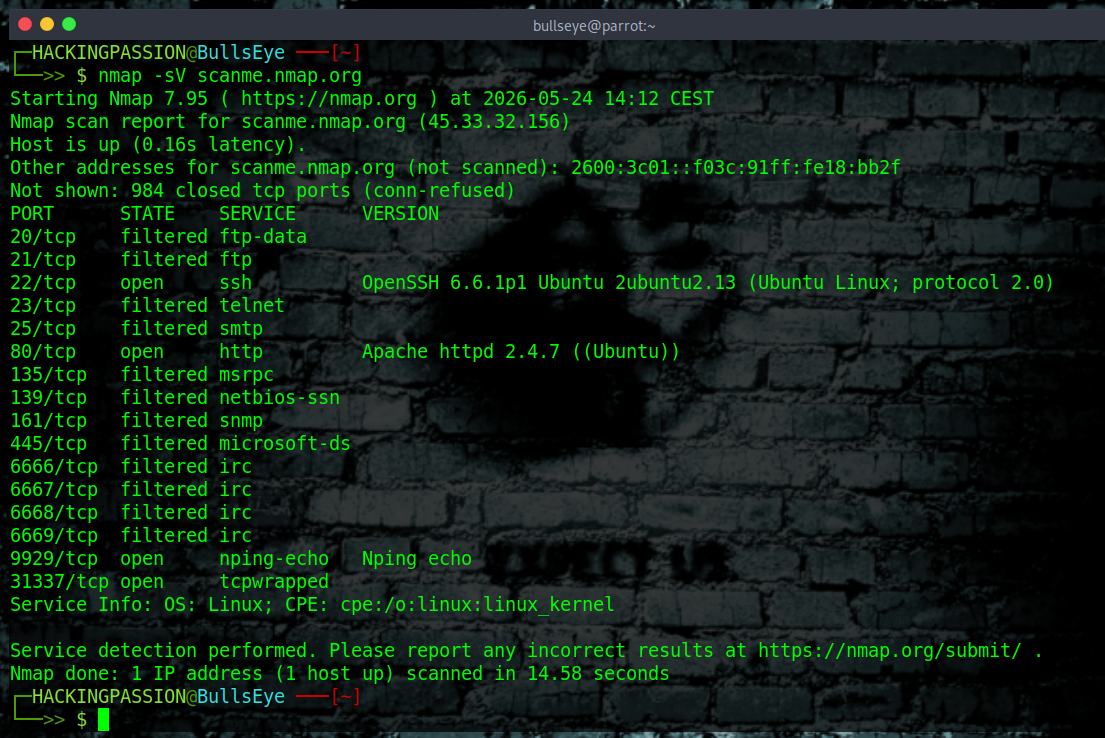
Botnets use the same scanning tools that security researchers use. Masscan can probe the full IPv4 address space in under six minutes given enough bandwidth. ZMap operates at similar speeds. Mirai and its variants build equivalent scanning functionality directly into the bot binary.
Each of these tools leaves fingerprints in the packets they send.
ZMap hardcodes the value 54321 in the IP identification field of every probe packet it sends. This value is set in the source code and does not change between versions. Any network sensor that sees this value repeatedly in incoming packets is looking at ZMap scanning activity.
Masscan calculates its TCP sequence number mathematically from the destination IP and destination port. The formula produces a recognizable pattern that IDS rules can match.
Mirai sets the destination IP address in decimal format equal to the TCP sequence number when scanning for new targets. This fingerprint is consistent across the base Mirai code and most of its variants.
When a bot finds an open port or a responding service, it tries default credentials from a built-in list or fires a known exploit at the version it detected. A successful compromise triggers a small downloader that fetches the full malware from a staging server and executes it. The new machine joins the botnet and starts scanning. From first contact to active bot can take under a minute on an unprotected device.
HOW A BOTNET IS BUILT
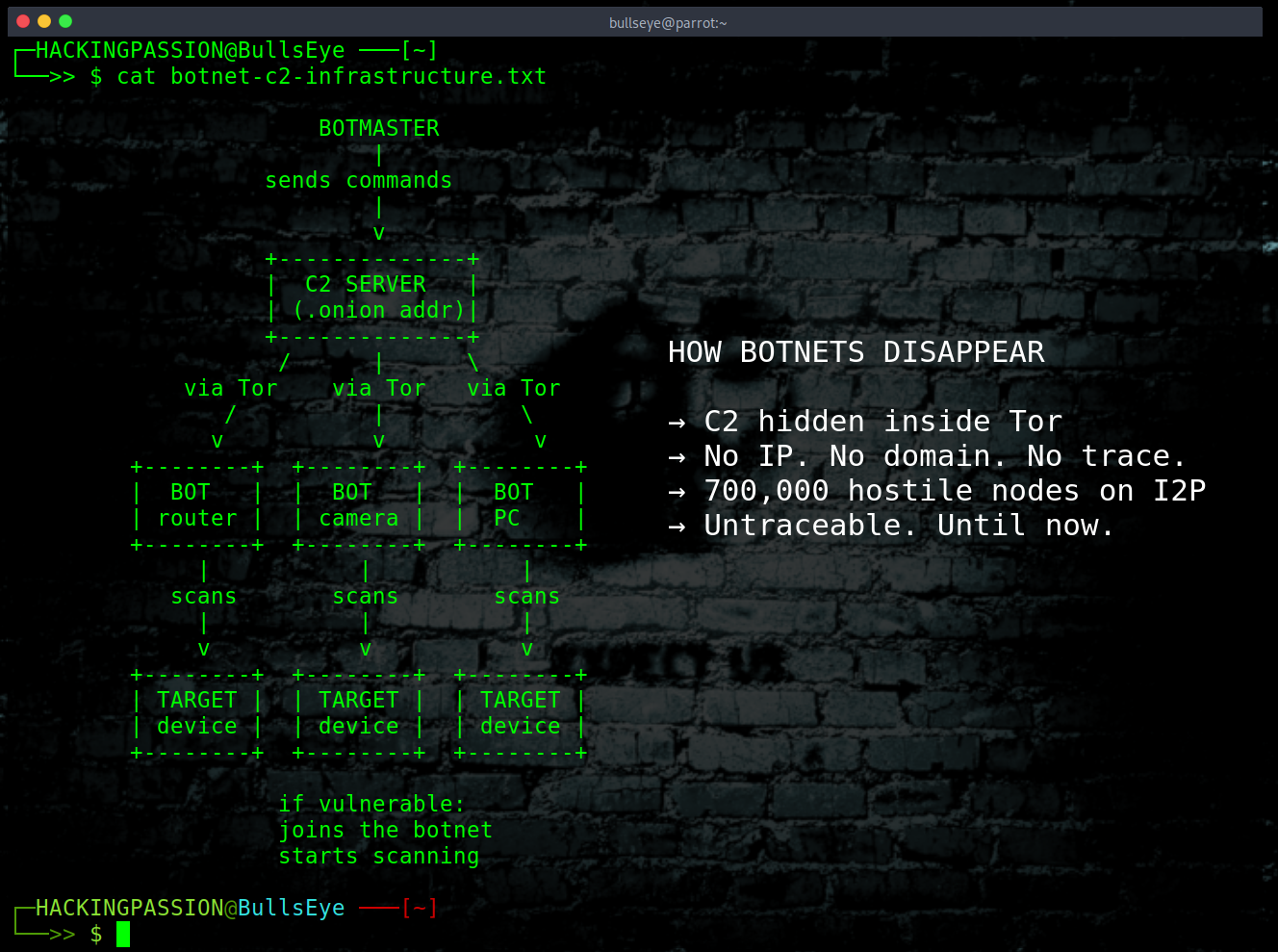
This is what the inside of a botnet actually looks like. Once you understand the structure, the detection commands later in this article will make a lot more sense.
A botnet has three main components. The C2 server, the bot clients, and the propagation mechanism. Here is how they connect:
| |
The botmaster sits at the top and never touches anything directly. Commands flow through the C2 server. Bots connect back to receive those commands. When a bot finds a new vulnerable device, that device gets infected, connects to the C2, and immediately starts scanning for more. The cycle repeats.
The C2 server is the brain. In a simple botnet this is just a server running somewhere with a domain name and an IP address. In a more advanced setup, like the ones I described earlier, it runs as a Tor onion service with no IP address and no domain.
The bot client is the code that runs on infected machines. At its most basic it does three things: connect to the C2, wait for a command, and execute whatever it receives before reporting the result back. In a lab environment this can be simulated with a simple Python script that connects to a local server on a machine you own. This is exactly how penetration testers test botnet detection on their own infrastructure.
The propagation mechanism is how the botnet spreads. Mirai uses Telnet and default credentials. Other botnets use phishing emails, exploits against known vulnerabilities, or compromised software packages. In a lab environment you skip this part entirely and install the bot client manually on your own test VMs.
Here is what the most minimal bot client looks like conceptually. This is for understanding the structure, not for deployment:
| |
The bot connects, receives a command as text, runs it, sends the output back, and waits. That is the core of it. Real botnets encrypt the traffic, use custom protocols, add persistence mechanisms, and route through Tor or I2P, but the fundamental logic is the same.
On the C2 side, the server listens for incoming connections and sends commands:
| |
DETECTION: WHAT TO LOOK FOR
I will go through each layer and show what to actually look for.
Checking Your Own Machine
Before looking at the network level, start with the machine itself. These commands work on Linux, including Kali and Parrot OS.
Check all active outbound connections and which process owns them:
| |
Anything connecting outbound that looks unfamiliar is worth a closer look. Pay attention to processes with names that sound like system services but live in unusual locations like /tmp or /var/tmp.
Check for processes running from suspicious locations:
| |
A process running from /tmp or /dev/shm is almost always malicious. Legitimate software does not run from there.
Check for persistence through cron:
| |
Botnets add cron jobs to restart themselves if killed. A cron entry that was not manually configured and runs something from /tmp is a clear indicator.
Check for recently created or modified files in world-writable directories:
| |
For a live view of connections as they open and close:
| |
Leave this running for a minute. If connections are appearing and disappearing rapidly to many different IP addresses, the machine is either scanning or maintaining C2 traffic.
On Windows, open PowerShell as administrator:
| |
Cross-reference the PID numbers from netstat with the process list to see which process owns each connection.
Detecting Tor Traffic
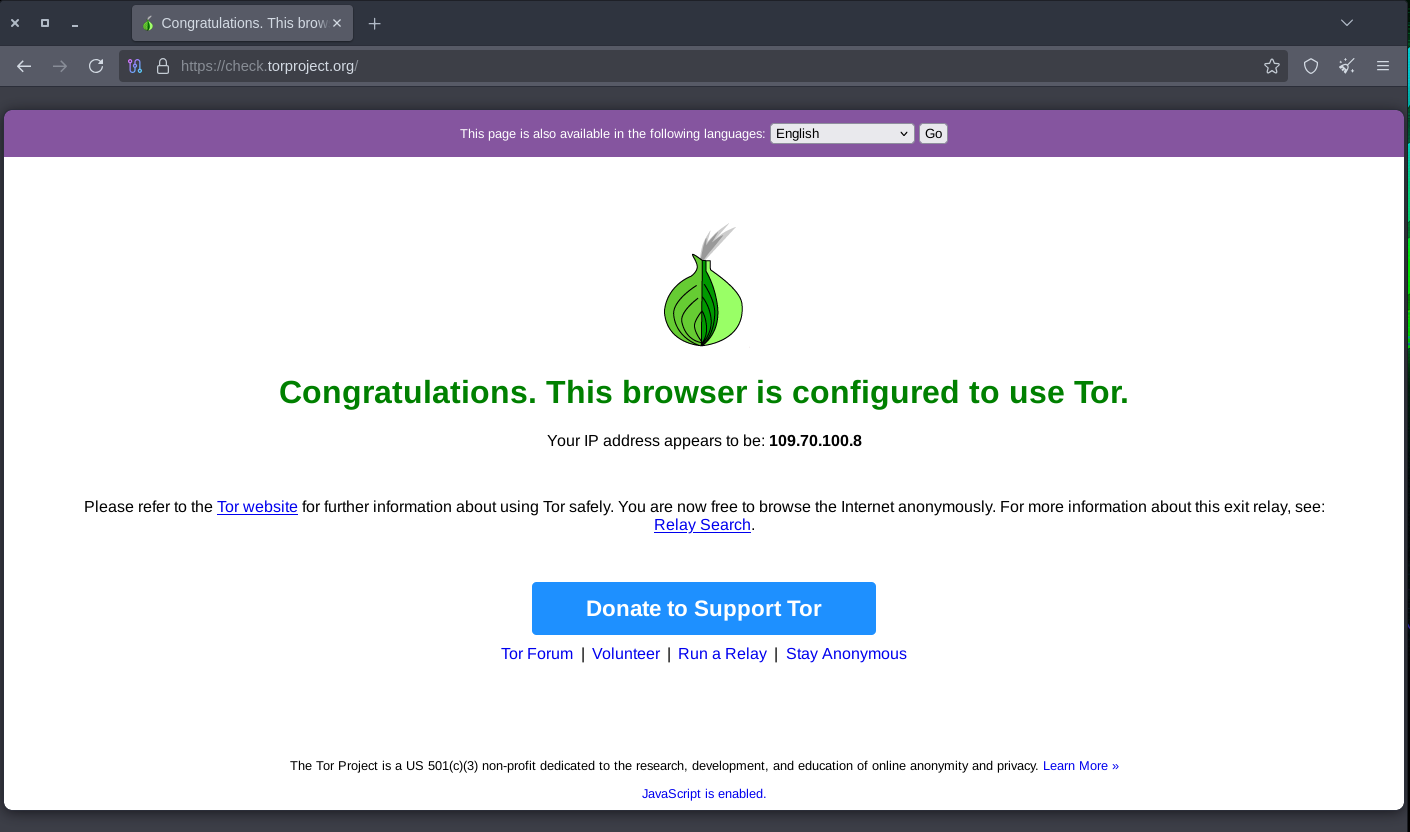
The Tor Project publishes a list of all guard node IP addresses, updated regularly. Any outbound connection going to an IP on that list is Tor traffic. Filter specifically for the default Tor ports:
| |
Port 9001 is the default Tor relay communication port. Port 9030 handles the directory protocol. Any outbound connection to those ports that was not intentionally configured is worth investigating.
For a broader view of all established connections:
| |
The Tor guard node list is available at:
| |
Download it and cross-reference it against active outbound connections to identify Tor usage on a network.
Detecting I2P Traffic
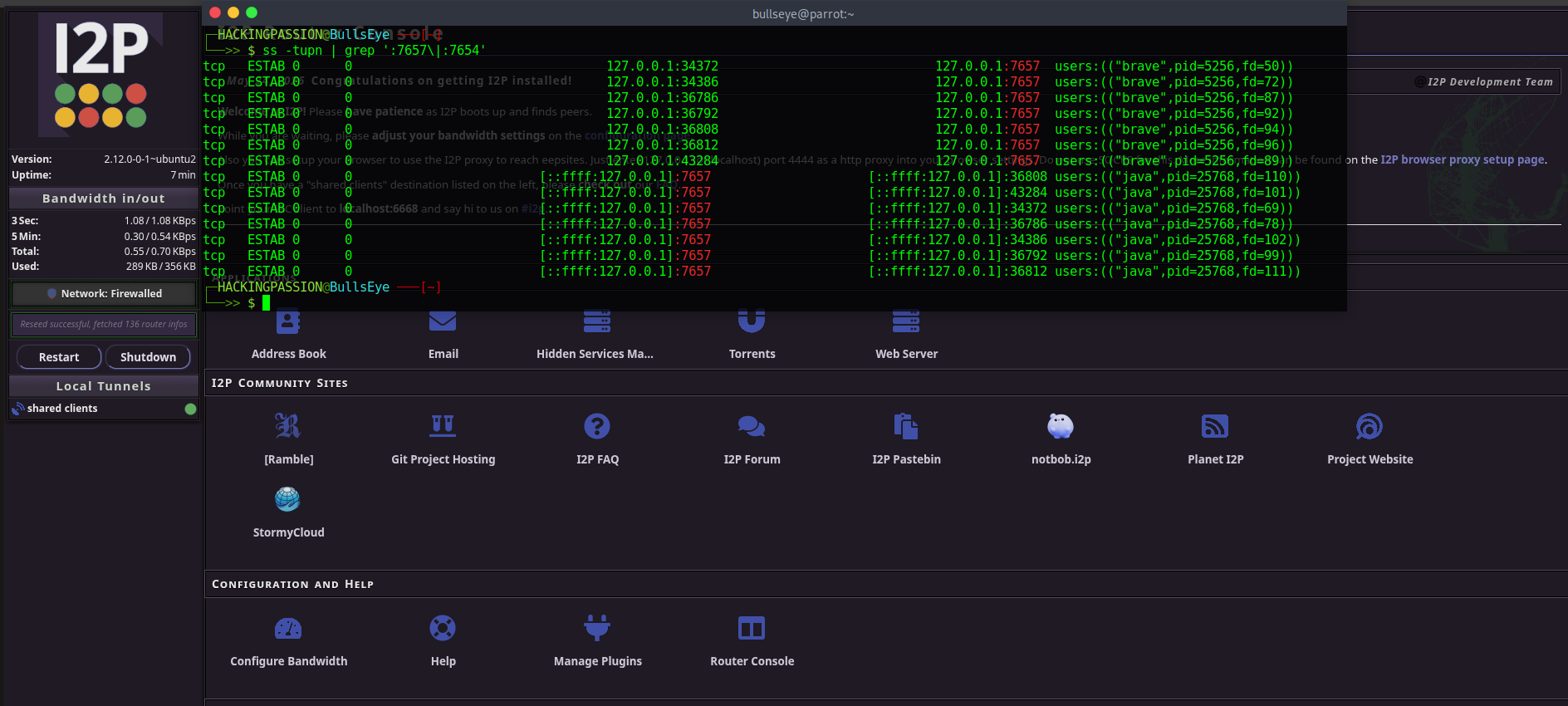
I2P is harder to catch by IP because the node list changes constantly. Look for a machine making a large number of short-lived encrypted connections to many different IPs with no clear pattern. I2P keeps rebuilding tunnels through different paths, so a machine running I2P C2 traffic shows up as abnormally high connection counts and rapid IP changes in outbound logs.
I2P uses specific ports by default. The router console runs on port 7657. The I2CP client interface uses port 7654. Machines connecting to those ports without a legitimate reason are worth investigating.
| |
If you to go deeper into I2P, Tor, and online anonymity, I cover all of it hands-on in my ethical hacking course. I walk you through the full I2P setup including browser configuration and accessing eepsites.
→ Join my complete ethical hacking course
Detecting Botnet Scanning
For incoming scanning traffic, IDS rules can match the tool fingerprints directly.
ZMap detection:
| |
Any IDS with packet header inspection that sees this value repeatedly in incoming SYN packets is looking at ZMap activity.
Masscan leaves its pattern in the TCP sequence number field. Zeek and Suricata both ship with existing rule sets for Mirai scanning behavior. If those rules are not already active, turning them on takes minutes and covers a lot of ground.
Inside the network, look for machines sending large numbers of outbound SYN packets to many different IPs in a short time, with connections that open and close almost immediately and carry no application data. A workstation or IoT device behaving like that has been compromised.
Honeypots are one of the most effective ways to catch scanning activity. A device with no legitimate traffic that starts receiving connection attempts is being scanned. T-Pot is an open-source honeypot framework that deploys multiple honeypot types and gives visibility into what is scanning, which credentials are being tried, and which exploits are being fired against exposed services.
WHAT TO DO
- → Download the Tor guard node list and load it into your firewall. If Tor has no legitimate purpose in the environment, block outbound connections to those IPs. Update the list regularly because the relay pool changes.
- → Block outbound connections to ports
9001and9030at the perimeter if Tor is not needed. - → Check routers, cameras, smart devices, and IoT appliances on the network. Default credentials on these devices are the primary Mirai infection vector. Change default passwords or take the device off internet exposure entirely.
- → Run NetFlow analysis on internal traffic. A machine generating thousands of short-lived outbound connections to random IP addresses is either scanning or running C2 traffic. Both findings need immediate investigation.
- → Block ports
7657and7654at the perimeter if I2P is not intentionally running in the environment. - → Verify that your IDS has active rules for the ZMap and Masscan packet fingerprints. Add them if they are missing.
- → Set up a honeypot. Even a simple one gives visibility into what is actively scanning the address space.
The MITRE ATT&CK framework maps these techniques as T1090.003 for multi-hop proxy use through Tor and I2P, and T1046 for network service discovery through distributed scanning. Both pages include detection guidance that maps directly to the commands and IDS rules covered above.
The techniques in this post connect directly to skills in my ethical hacking course. The scanning techniques botnets use for victim discovery are the same tools I cover in the Nmap and high-speed network scanning lessons. Network pivoting, which is how a compromised bot moves deeper into an internal network, has its own dedicated section including Proxychains and Chisel tunneling. Linux persistence, the techniques that keep a bot alive after a reboot, is a full lesson on its own. Credential dumping with Mimikatz, which is what the more advanced bots do once they have a foothold, is there too. If you want to understand how attackers actually operate inside a network, and how to detect and stop them, this is where to start:
Hacking is not a hobby but a way of life. 🎯
Stay updated
Get the latest posts in your inbox every week. Ethical hacking, security news, tutorials, and everything that catches my attention. If that sounds useful, drop your email below.