 HackingPassion.com
Google Leaked the Chrome Bug That Turns Your Browser Into a Botnet
Ethical Hacking Complete Course Zero to Expert
Hack like black hat hackers. Penetration testing, Kali Linux, WiFi and web hacking, and the hacker mindset behind it.
→ Take the full courseA single visit to one website can quietly turn your browser into part of a botnet, and the working code to do it is now still sitting out in the open.
It affects Chrome, Microsoft Edge, Brave, Opera, Vivaldi, and almost every browser built on Chromium. Someone flagged it to Google back in 2022. Google sat on it for almost four years, and then leaked the exploit code itself, by accident, on its own bug tracker.
An independent security researcher from Estonia, Lyra Rebane, found the problem in late 2022 and reported it privately. Google confirmed it was real in December 2022, tracked it internally as issue 40062121, and rated it Priority 1, Severity 2, which is high urgency for a serious bug. Then nothing happened for a very long time.
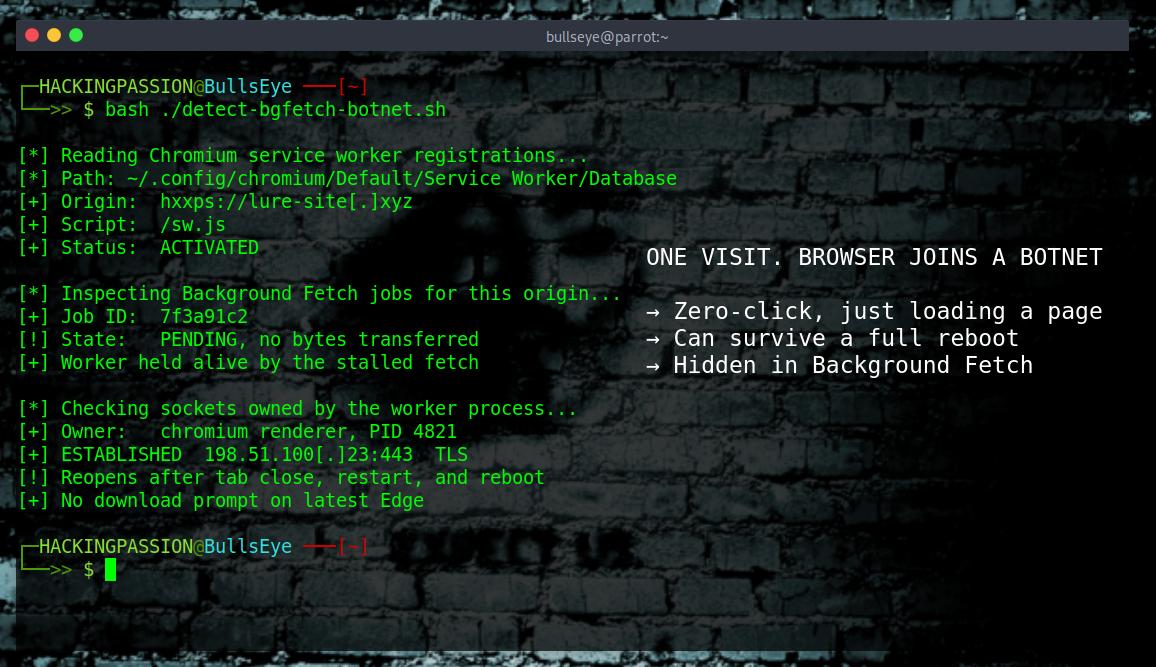
Most browser bugs need you to do something. This one needs nothing. Nobody clicks a link, approves a download, or taps a permission box. Loading the page is enough. That is what security people call zero-click.
Browsers can keep a little bit of code running even after you close the page. It is what lets a web app show a notification, work offline, or finish syncing once the tab is gone. That background helper has a name: the service worker.
The browser does not let a service worker run forever. To protect battery life and privacy, it shuts one down after a short stretch of inactivity. That limit is why a random website cannot just leave code running on your machine all day.
Background Fetch is the exception to that rule. It exists for long downloads, the kind that should keep running once the tab is gone, like a large video or a game update. It has been on by default since Chrome 74, so it already sits quietly in almost every Chromium browser. While a background fetch is active, the browser agrees to keep the service worker alive so the download can finish. That is the gap the attack uses. Start a background fetch and build it so it never completes, and the browser keeps the service worker running on and on, because as far as it knows a real download is still going.
A live service worker can run JavaScript, and JavaScript can open network connections. So the script holds a connection open to a server the attacker controls. In security terms that server is the command-and-control, usually shortened to C2. The browser checks in, waits for instructions, runs whatever it is told, and reports back. That loop is what turns an ordinary browser into a node in a botnet.
Here is the registration that installs a service worker on a visitor’s browser:
| |
And here is the call that starts a background fetch, the thing that keeps the worker alive under the cover of a download:
| |
Both of those are the normal, documented API, used exactly the way the browser expects. The abuse is not in the code itself. It is in pointing the connection at a malicious server and making sure the fetch never ends.
The nastiest part is what happens after a reboot. The browser remembers which service workers it has installed and which background fetches were going, so it can resume them next time it starts. After the machine boots back up, the browser brings the fetch back, the service worker wakes up, and the connection to the C2 reopens on its own. Someone visits one bad page once, walks away, shuts the machine down, and the next time it comes back up the browser is talking to the attacker again, with no second visit needed.
A browser caught this way can route the attacker’s traffic to hide where they really are. It can join thousands of other hijacked browsers hitting one website at the same moment to knock it offline, which is a denial-of-service attack. It can watch some of what the browser is doing and pass that along.
This is remote code execution, but only the in-browser kind. It runs an attacker’s JavaScript inside the browser, not commands on the operating system underneath. The service worker stays inside the browser’s sandbox, the sealed-off part of the browser that keeps web code away from the rest of the system, so it cannot read files, email, or the OS itself. It can only do what any web page is already allowed to do, which is mostly making network requests. The quieter worry is the stockpile. Someone could collect a pile of hijacked browsers now and keep them in reserve, ready for the day a heavier bug comes along. Chromium sits underneath most of the browsers people actually use, so a lot of machines are exposed.
The way this leaked is stranger than the bug itself.
Google knew about it all along. In October 2024 one of their own developers flagged the issue as still open and called it serious, asking for progress. February 2026 is when it finally got attention, though not the kind that helps. On February 10 someone marked the bug as fixed, then reopened it a few minutes later when concerns came up. They changed the labels so it could go through Google’s bug bounty program, and on February 12 they marked it fixed again. No patch had shipped. A thousand dollar reward went out anyway, on a bug that was still wide open.
That fixed label is what caused the leak. Google’s bug tracker has a rule. Once an issue has been closed and marked fixed for fourteen weeks, the tracker automatically drops the access limits and makes everything public. Nobody decided to publish the exploit. A timer ran out on a bug that was never actually solved, and on May 20, 2026 the tracker opened the full report, working exploit code included. When someone tested it that same day, it still ran on Chrome Dev 150 and Edge 148.
The headlines saying Google deliberately dropped a zero-day got it wrong. Google exposed it by accident, through its own process, and pulled the report back once it was clear the bug still worked. By then people had already copied and archived it, so it is out there for good.
The history of this feature makes it sting more. When Google introduced Background Fetch in 2018, they said it was safe because the download always stays visible, with a progress bar and a cancel button. That visibility was the safeguard, and it is already failing. On some browsers a download box briefly appears with no real file behind it, the kind of thing most people wave away as a glitch. On the newest version of Edge even that is gone, so the one signal meant to warn the user has disappeared. The feature runs silent.
Who is exposed and who is not:
- → Affected: Chrome, Microsoft Edge, Brave, Opera, Vivaldi, Arc, and other Chromium-based browsers
- → Not affected: Firefox and Safari, because they never shipped the Background Fetch API
The fix and what to do right now:
- → Google’s fix shipped in Chrome 149, which hit stable on June 2, 2026. It stops a service worker from using Background Fetch to run downloads, which is the keep-alive trick this attack leans on. Update Chrome to 149 or later now. Edge, Brave, Opera, Vivaldi, and Arc only get the fix once they move onto Chromium 149, so check your build, and treat the exploit as live on anything still on 148.
- → If you are stuck on a browser that has not picked up the fix yet, Firefox and Safari are not vulnerable to it at all.
- → For anyone running a hardened or custom Chromium build, disabling Background Fetch and service workers stops this, though some web apps will break.
- → For anyone managing machines, watch for a download box that flashes up with nothing behind it, and for network connections that stay alive after browsers are closed.
A bug this simple, reported almost four years ago, that Google’s own engineers called serious, ended up public because a fourteen-week timer trusted a label that was never true. When the report went public, it still ran on fully updated browsers.
The service worker trick only works inside a browser. But the moves behind it are the same ones used in real attacks. Get in, open a connection back to your own machine, keep it alive, get back in after the target reboots, and stay quiet while doing it. That is what my course covers, step by step, with a reverse shell that comes back after a reboot on Linux and a Windows registry key that reopens access every time the machine starts up:
Hacking is not a hobby but a way of life. 🎯
Sources: Lyra Rebane | Chrome Enterprise Release Notes
Stay updated
Get the latest posts in your inbox every week. Ethical hacking, security news, tutorials, and everything that catches my attention. If that sounds useful, drop your email below.