Fortinet Authentication Bypass: A 5-Year-Old Bug Returns While a New One Gets Exploited in 3 Days
Want to learn ethical hacking? I built a complete course. Have a look!
Learn penetration testing, web exploitation, network security, and the hacker mindset:
→ Master ethical hacking hands-on
(The link supports me directly as your instructor!)
Hacking is not a hobby but a way of life!
You buy a firewall to protect your network. In one month, two different authentication bypasses are being actively exploited. One is five years old. One is brand new. 😏
December 2025. Fortinet has a problem.
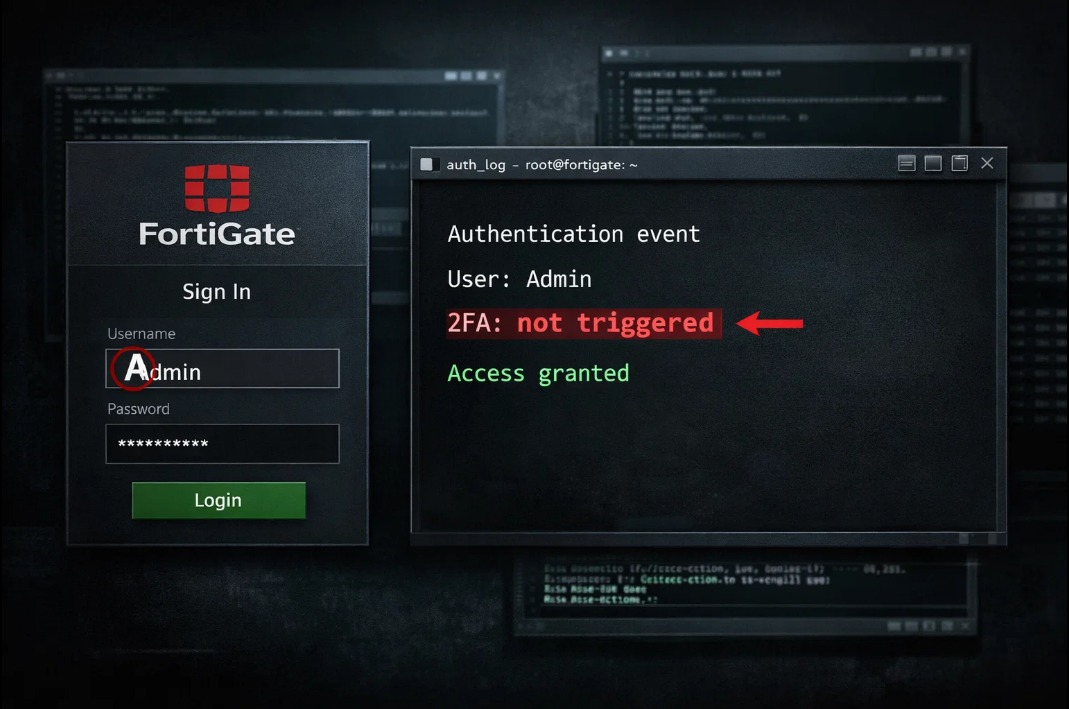
On December 24th, Fortinet published an advisory about CVE-2020-12812. A vulnerability from July 2020. Five years old. Now being actively exploited again. Bypass two-factor authentication by typing the username in different case letters. Instead of “admin” type “Admin” or “ADMIN” and skip 2FA completely.
FortiGate treats usernames as case-sensitive by default. LDAP does not. When someone logs in with a differently cased username, the firewall can’t match it to the local account with 2FA enabled. So it falls back to LDAP authentication, which doesn’t enforce two-factor settings.
Admin sets up 2FA to protect accounts. The attacker types “Admin” instead of “admin”. The second factor never gets triggered. They’re in.
Fortinet rated this bug CVSS 5.2 - Medium. The NVD (National Vulnerability Database) rated the same bug 9.8 - Critical. Either way: it’s being actively exploited right now.
So why is a five-year-old vulnerability still being exploited?
Because patching alone wasn’t enough.
When Fortinet released the fix in 2020, admins had to do two things: update the FortiOS version AND change a configuration setting. The patch introduced a new option, but it had to be manually enabled.
For FortiOS 6.0.13, 6.2.10, 6.4.7, 7.0.1 or newer:
config user setting set username-sensitivity disable end
For older versions:
config user setting set username-case-sensitivity disable end
This setting makes the firewall treat “admin”, “Admin”, and “ADMIN” as the same account, so they all require 2FA.
Many administrators updated their firmware but never ran that command. They assumed the patch fixed everything.
The FBI and CISA warned about CVE-2020-12812 in April 2021. It was listed as one of the top 30 most exploited vulnerabilities that year. Some APT groups were using it. The Hive ransomware operators exploited it in 2022. And now it’s back.
Two weeks earlier, CVE-2025-59718 and CVE-2025-59719 dropped on December 9th. Critical authentication bypass in FortiOS, FortiWeb, FortiProxy, and FortiSwitchManager. CVSS score 9.8. By December 12th, attackers were already exploiting it. Three days. That’s how long it took for hackers to weaponize this and start breaking into enterprise networks.
The attack works through FortiCloud SSO. An attacker sends a crafted SAML message to the firewall. The firewall fails to properly verify the cryptographic signature. The attacker gets admin access without credentials. They download the system configuration file containing hashed passwords, VPN settings, and the entire network layout.
Over 25,000 devices are exposed online with FortiCloud SSO enabled according to Shadowserver. Other researchers found over 30,000.
Here’s the nasty part: FortiCloud SSO is disabled by default. But when a device is registered with FortiCare through the GUI, it gets automatically enabled unless the admin specifically turns it off.
Two authentication bypasses. Both active. Both December 2025. One returning after five years. One exploited within three days of the patch.
This is the pattern with this vendor. Every year since 2019 there have been critical vulnerabilities. In 2022, APT groups compromised over 20,000 devices with malware that survives firmware upgrades.
French security firm Lexfo put it bluntly: “We remain doubtful they ever ran a proper security assessment on the appliance, considering the number and quality of vulnerabilities that were found from 2019 to today.”
Check if you’re vulnerable:
For CVE-2020-12812: → Run “show user setting” in CLI → Look for “username-sensitivity” or “username-case-sensitivity” → If not set to “disable”, you need to change it → You’re at risk if you have local users with 2FA who are also in LDAP groups used for authentication
For CVE-2025-59718/59719: → Go to System -> Settings → Look for “Allow administrative login using FortiCloud SSO” → If enabled and you didn’t configure it, disable it immediately → Update to FortiOS 7.6.4, 7.4.9, 7.2.12, or 7.0.18
If you see signs of compromise, assume your configuration is exposed and reset all credentials, including LDAP/AD binding credentials.
A patch is not always a complete fix. Sometimes you need to change configurations. Sometimes the patch note mentions it in one line that’s easy to miss. And sometimes attackers come back five years later to find systems where that one line was never read.
→ Stay updated!
Get the latest posts in your inbox every week. Ethical hacking, security news, tutorials, and everything that catches my attention. If that sounds useful, drop your email below.