 HackingPassion.com
FROST Lets a Website See Which Sites and Apps You Have Open by Timing Your SSD
Ethical Hacking Complete Course Zero to Expert
Hack like black hat hackers. Penetration testing, Kali Linux, WiFi and web hacking, and the hacker mindset behind it.
→ Take the full courseFROST lets a website time your SSD and see which sites and apps you have open, even ones running in a different browser. It needs no malware and nothing to install. Opening the page is all it takes. While you sit there reading whatever the attacker put on screen, the page is quietly measuring how busy your drive is, and from that alone it works out what else you are running.
The research group behind it, at the Graz University of Technology, helped uncover Meltdown and Spectre in 2018.
Nothing here is broken. OPFS does exactly what it was built for, and FROST just turns it into a way to watch what you are doing.
It helps to know what an SSD is doing while a computer is in normal use. Whenever a website opens or a program launches, the machine reads and writes small pieces of data to the drive. Those reads and writes take time, and when two things use the drive at the same moment they slow each other down a little, and that small slowdown is the signal FROST measures.
The attack page uses a browser feature called the Origin Private File System, or OPFS. It was built so that web apps like online photo editors and code editors can store files on the disk without asking the user for permission every time. FROST uses that same feature to create one very large file on the drive, bigger than the amount of memory the machine has, and the size is what makes it work. An operating system normally keeps recently used data in fast memory so it does not have to touch the slower drive, but a file too big to fit in memory forces the computer down to the SSD on almost every read.
From there the page keeps reading small random pieces of that large file and times how long each read takes, over and over. The core of it looks like this:
| |
When someone opens a new tab, switches to another program, or starts a video, that activity hits the same drive and makes those timed reads take a little longer. Feed enough of these timing patterns into a trained neural network, and it learns to recognise specific websites and programs by the delays they cause.
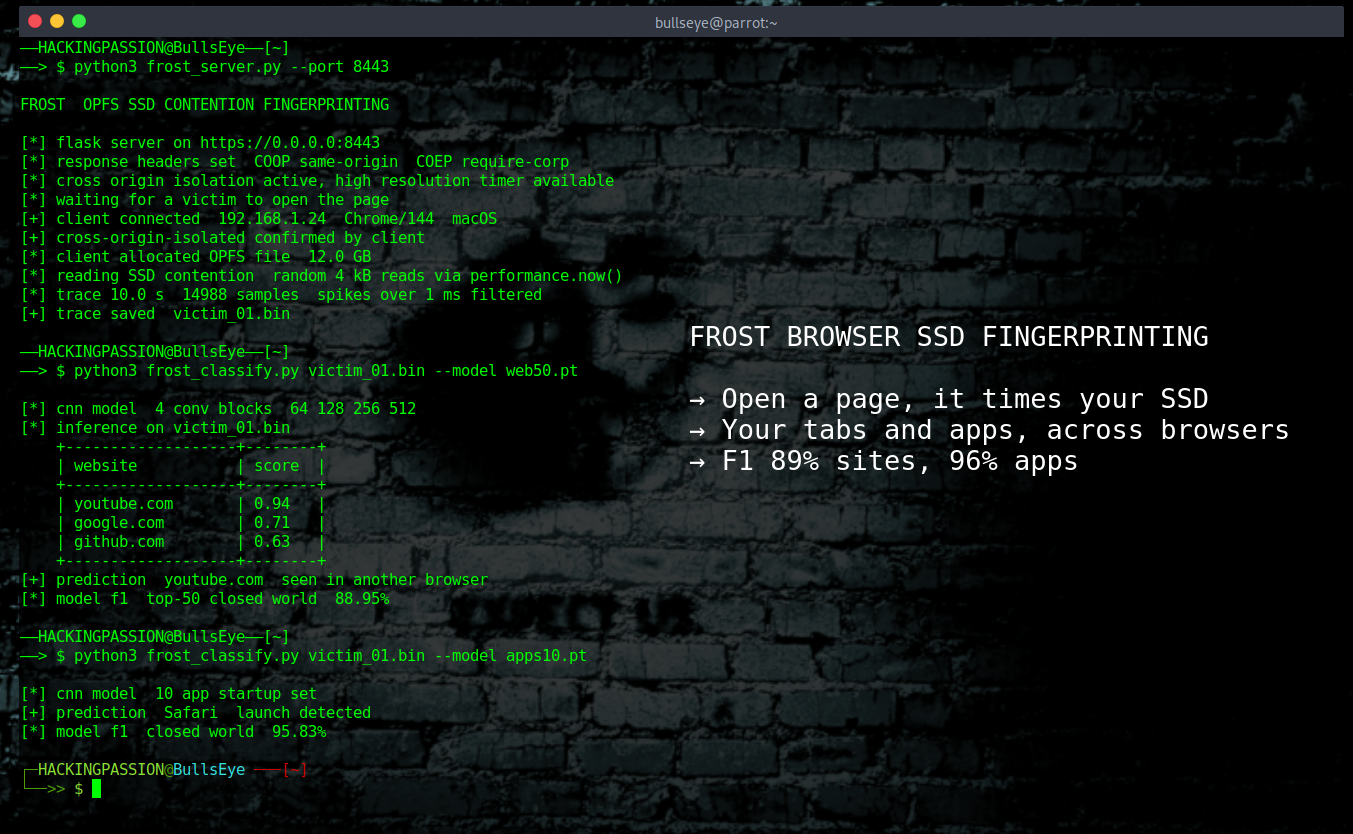
On a Mac the researchers could tell which of the top fifty websites a person had opened with an F1 score of around 89 percent. That score blends two things: how often it was right when it pointed at a site, and how many real visits it actually caught. The higher the number, the more reliable the guess. They could spot which of ten common applications had been launched with a score of almost 96 percent.
There is a second way to use the same method, and it points in the other direction. Instead of only reading what someone is doing, the same channel can carry data out of the machine. A program on the system deliberately creates disk activity in a pattern, a burst of reads for a one and a quiet moment for a zero, and the malicious web page reads that pattern back as bits. A program with no internet access of its own, or one that is kept off the network on purpose, can still leak information to a website through nothing more than how busy it keeps the drive. The researchers clocked this at roughly 660 bits per second on Linux and 890 on a Mac, close to what older attacks managed with full native code. For anyone doing offensive work, this is data exfiltration without a network connection.
The attack also reaches across browsers. The page can run in Chrome while it works out what is happening in Safari, because the slowdown happens at the drive level and not inside any one browser. In the tests, the gap between spying within the same browser and from one browser into another was about three percent, small enough to ignore.
The researchers reported FROST to the three big browser makers before going public. Google said it does not treat fingerprinting as a security vulnerability at all. Apple called it out of scope for now, while leaving room for a fix later. Mozilla acknowledged the findings but has not shipped anything to stop it. The work was funded in part by gifts from companies including Google and Intel, the same Google that says this is not a bug worth fixing.
FROST also has to get past the browser’s own defences. Browsers make the clock that JavaScript can read less exact, exactly to block timing attacks like this one. That change was added as a response to Spectre, one of the attacks this same group helped uncover, which means the defence meant to stop this kind of attack exists because of the very people now slipping past it. The attack gets around it by switching on a stricter security mode meant for trusted, isolated pages. Two response headers do the job:
| |
Those two lines are supposed to make a page safer by keeping it separate from other sites. Here they give the attacker back the precise clock needed to measure tiny differences in drive speed.
What FROST picks up is your activity: which sites sit open in other tabs, even in a different browser, which desktop programs are running, and a rough sense of what you are doing while the page is open. What it does not do is read files, steal passwords, or break out of the browser sandbox. It does not touch any data directly, it only measures the timing of the drive and works out the rest.
What makes this reach so far is how ordinary the feature is. OPFS is not a rare or experimental setting, it has been built into Chrome, Edge, Firefox and Safari since 2023, so almost any desktop browser someone uses already has the feature the attack relies on. Chrome and Safari are the most generous, letting a single site reserve up to sixty percent of the disk, which on a normal 256 GB laptop comes to more than 150 GB. Firefox is stricter and caps it at ten gigabytes per site, though an attacker who needs more space can spread the file across several sites and get past that limit.
None of this means a machine is being taken over tomorrow. The activity FROST wants to watch has to happen on the same drive as that large measurement file, which is normal on a laptop with a single SSD but less reliable on a workstation with several drives. The file is also the most visible part of the setup, since dozens or even hundreds of gigabytes disappearing from storage is the kind of thing an attentive person notices. On a system where the browser profile is kept in memory instead of on disk, the no-interaction version of the attack does not work.
One detail most of the coverage skips: where this was proven. The full website and application fingerprinting was only run on macOS. On Linux the researchers demonstrated the timing measurement and the covert channel, but not the complete recognition, and Windows was not tested at all. They expect it to behave the same on Linux, but that is their expectation, not a measured result.
For most people the risk is less about a dramatic hack and more about quiet profiling. In the wrong hands it works as a surveillance tool, where an advertiser or a data broker could build a record of someone’s habits, and a person with worse intentions could watch a specific target, without setting off the kind of alarm that ordinary security software looks for. There is no sign yet of FROST being used outside the lab, which is good news, but side channels have a way of moving from research papers into real tools once someone shows they work.
There is a bigger pattern behind this. Browsers keep adding powerful features so web apps can feel like installed software, things like direct file access, GPU access and USB access. Each step that brings the browser closer to the hardware also brings along the kind of leak that used to need a real program running on the machine. A very similar attack existed a year earlier, called Secret Spilling Drive, but it still needed real code running on the machine, while FROST does the same job from a single browser tab, and more attacks like it will follow.
A few practical things help right now, without waiting for the browser makers to act.
- → Close the tabs you are not actively using. This is the single most effective step, because the attack can only measure while its page is open and running.
- → A DevTools extension called OPFS Explorer, available for Chrome and Firefox, lets you inspect what a site has stored in its
OPFS, but only for the page you currently have open. Since the attack needs a file bigger than the machine’s memory, a single site holding many gigabytes, far more than a normal web app would ever need, is the real warning sign. - → Watch for sudden, unexplained drops in free disk space, since the attack needs a very large file to work.
- → For the more technical reader, moving the browser profile onto a RAM disk keeps these files off the SSD completely and breaks the no-interaction version of the attack.
- → In Firefox, setting
dom.fs.enabledtofalseinabout:configturnsOPFSoff and breaks the no-interaction attack there. It is an internal setting, not an official privacy switch, so check that it still exists in your version before relying on it.
FROST works by taking a feature that was built for something useful and turning it into a way to watch a target without setting off an alarm. Learning how normal features get turned into reconnaissance tools, how an attacker fingerprints a target without touching it directly, and how a browser becomes part of the attack surface is exactly what my ethical hacking course walks through, step by step:
Hacking is not a hobby but a way of life. 🎯
Sources: FROST paper, Weissteiner et al.
Stay updated
Get the latest posts in your inbox every week. Ethical hacking, security news, tutorials, and everything that catches my attention. If that sounds useful, drop your email below.