 HackingPassion.com
Internet Explorer Can Still Take Over a Fully Patched Windows PC in 2026
Ethical Hacking Complete Course Zero to Expert
Hack like black hat hackers. Penetration testing, Kali Linux, WiFi and web hacking, and the hacker mindset behind it.
→ Take the full courseInternet Explorer can still take over a fully patched Windows machine, years after Microsoft retired it in 2022. The code that ran it was never removed from Windows, and a researcher just turned it into working remote code execution.
The researcher behind it, Igor Sak-Sakovskiy, published the work with Microsoft’s permission. The piece he pulled apart is called the WebBrowser control, the same code that drew web pages in Internet Explorer for decades. It still runs inside programs written in Visual Basic, .NET and C#, the kind of older business software and legacy tools that quietly kept the component alive. One detail makes it stranger. No official Microsoft document says this component is retired or about to be. People treat it as gone, while it keeps running underneath.
This same engine already led to remote code execution in WinRAR a few years back, tracked as CVE-2021-35052. WinRAR is one of the most common file archivers around, and the giveaway was a JavaScript error popping up inside it, drawn by the IE engine hiding in the software.
Internet Explorer decides what a web page is allowed to do by where it comes from. It drops pages into zones, and each zone gets a different amount of trust. A random site on the internet sits in the lowest zone and can barely touch anything on the machine. A page served from the machine itself, from localhost, sits much higher. A local file opened straight from disk, through file:///, sits highest of all. The closer a page is to being local, the more Windows lets it do, like touching risky parts of the system and reaching folders shared across the network.
A page running on localhost can do things a normal website never could. It can reach a wide range of ActiveX components, the old building blocks that let a web page call functions in software installed on the system. It can open files from a remote SMB share, the protocol Windows uses for network folders. That extra power is what the rest of the attack is built on.
An attacker needs two things to begin. First, a program on the target machine that runs a local web page, which is common now: a mail client, a development environment, a XAMPP stack, an Electron app, even something like uTorrent. Second, a flaw in that local page that lets the attacker run their own JavaScript inside it. That flaw is called cross-site scripting, or XSS, and it is one of the most common web bugs there is.
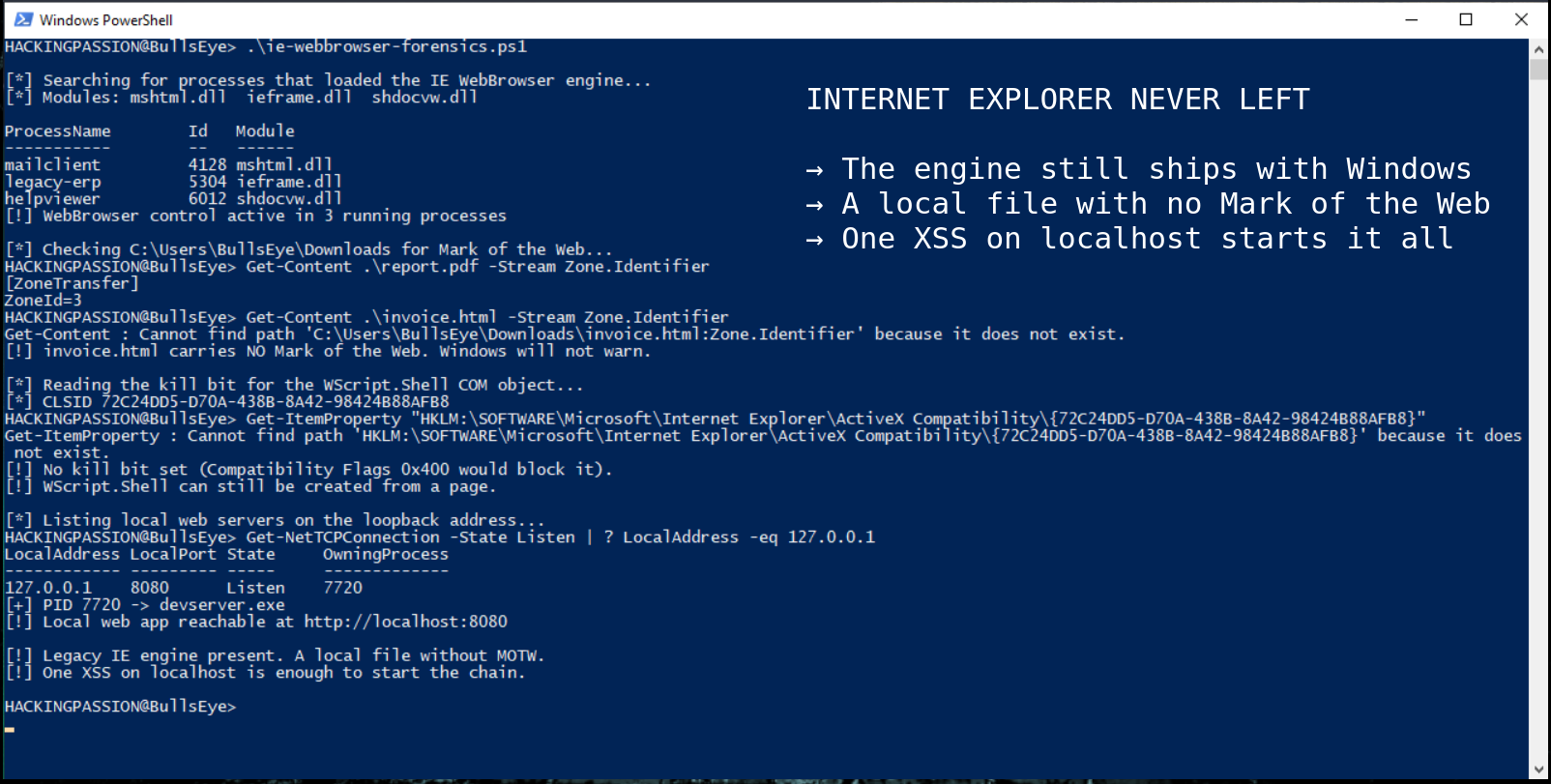
The next obstacle is Windows itself. When a file comes in from the internet, Windows puts a little label on it that says where it came from. That label is called the Mark of the Web, and it is the reason a warning pops up before the file runs. Finding the simplest way around it took eight months. The answer is almost too easy. Internet Explorer can open a page in Microsoft Edge without asking, using a link shaped like this:
| |
Because modern Edge is built on Chromium, it saves files straight to the Downloads folder without a single prompt. And a file pulled down this way, through localhost, never gets the Mark of the Web tag at all. No tag means no warning, and Windows steps out of the way.
From here the attack pulls an old trick out of the early 2000s. A local HTML file without the Mark of the Web can create a COM object, a reusable Windows component, called WScript.Shell. That object can run commands. The proof of concept comes down to something like this:
| |
In the demo it opens the calculator, which is how researchers show they can run anything they like. The full chain needs the victim to click through two security prompts. Two clicks, and the machine is running attacker code.
That is one path. Testing what localhost could open turned up another. Some file types launch Windows Media Player, and media playlists like .m3u, .wax and .asx can point at a file on a remote SMB server. When the player reaches out to grab that file, Windows hands over the user’s login, scrambled but not safe, and an attacker waiting on the other end grabs it. From there they can crack it at their own pace on a graphics card built for exactly that kind of guessing. A playlist that leaks a password looks as harmless as this:
| |
This is the same class of NTLM credential leak that sat behind the Windows Snipping Tool flaw (CVE-2026-33829) from earlier this year.
A handful of file types push things further. Windows will open .xaml, .xbap, .vsto and .application files, which can run .NET code, and a .xaml file does it without showing any warning at all. The others can go as far as slipping a backdoor into Office, but only if the victim clicks past a warning or two first.
A different trick does damage without running a single command. Internet Explorer can open a web archive file, a .mht, which packs a saved page into one file. A saved .mht without the Mark of the Web, holding two specific lines in its header, can lie about which website it belongs to. That lets an attacker run their own JavaScript on any site the victim is logged into, reading cookies and session data straight out of a banking or mail tab. The name for this is universal cross-site scripting, and it works because Internet Explorer believes the lie about where the page came from.
Inside the file listing that Internet Explorer shows, the view that looks like a normal Windows folder, sits that same old WebBrowser component. The attack hides it inside a transparent frame five pixels wide and makes it follow the mouse cursor around the page. Wherever the victim clicks, the click actually lands inside that invisible frame, on a file waiting to run. The page shows one thing, the click goes somewhere else entirely. This is clickjacking, and here it ends in code execution.
Drag and drop is worse, because it skips the warnings completely. Drop any file onto a specially built shortcut, a .lnk file, and the command inside that shortcut runs with no Mark of the Web check and no security dialog at all. The shortcut can hold something as plain as this:
| |
A related move uses a .desklink file to drop a fake shortcut onto the desktop, dressed up with a trusted name and icon so it sits there next to the real ones without standing out.
The single most important link in the chain, opening a local file through JavaScript on localhost, was already fixed by Microsoft in September 2024 while the research was still going. The research itself calls most of the rest a feature, not a bug, which means Microsoft sees it as normal behavior and there is no single fix that shuts it all down. None of it works without an existing XSS flaw in a local program, and most of the variants still need a click or a drag. The drag and drop paths are the dangerous exception, since those run with no prompt at all.
The method at the center of the worst chain, running commands through WScript.Shell, goes back to the 2000s. The pattern underneath it is older still. Researchers at Princeton showed almost the same idea against Internet Explorer 3 in 1996, a web page that slips a file past the browser’s checks and runs it. Thirty years later the same kind of trick still works, on a machine that is fully up to date.
What to actually do about it:
- → Check whether any program on a machine quietly runs the WebBrowser control or exposes a web interface on
localhost. Those are the doors in. - → Confirm whether a file carries the Mark of the Web tag with one PowerShell command:
| |
A local file returns nothing. A file from the internet returns a zone identifier.
- → Block outbound SMB on ports 445 and 139 from machines that do not need it, which shuts the playlist credential leak.
- → Disable the most dangerous ActiveX components, the ones like
WScript.Shellthat lead to command execution, through their kill bit setting in the registry.
This attack is a clean example of how a small client-side flaw grows into full code execution. An XSS bug becomes a foothold, a downloaded file becomes a payload, a COM object becomes a shell, and a final click or drag finishes it. Finding XSS and pushing it past a harmless pop-up into a real weapon, and the social engineering that gets someone to take that last action, are both covered step by step in my ethical hacking course:
Hacking is not a hobby but a way of life. 🎯
Sources: PT SWARM | Microsoft | RISKS Digest 18.36
Stay updated
Get the latest posts in your inbox every week. Ethical hacking, security news, tutorials, and everything that catches my attention. If that sounds useful, drop your email below.