 HackingPassion.com
macOS Screen Sharing Flaw Let Attackers Take Over a Mac Without a Password
Ethical Hacking Complete Course Zero to Expert
Hack like black hat hackers. Penetration testing, Kali Linux, WiFi and web hacking, and the hacker mindset behind it.
→ Take the full courseAnyone on your network could take over a Mac with Screen Sharing turned on. All it took was the target’s IP address. The login check handed back an old success value and the machine believed it. 🧐
Screen Sharing is the macOS feature that lets someone on another computer connect to your Mac, see the desktop, and control it as if they were sitting right in front of it. By default it stays off, and you switch it on in System Settings when you want to reach your own machine from another room or another city. On August 6, Apple released macOS Tahoe 26.6.1, Sequoia 15.7.9, and Sonoma 14.8.9 to close a flaw in that service, tracked as CVE-2026-65400. The service could be talked into treating a connection as logged in when it never was.
The login is supposed to work like this. When you connect, your Mac has to be sure you know the account password, and it checks that with a method called Secure Remote Password, or SRP. The useful part of SRP is that the password itself never travels across the network. The two sides exchange a series of math values instead, and those values let each side prove it knows the password without ever sending it. That exchange runs across several back-and-forth messages, and one of those steps checks the length of an incoming message before moving on to the next.
In the vulnerable versions, that length check handed back an old success value left over from an earlier step. The background program that runs the service, called screensharingd, read that stale “all good” and treated the connection as if the password check had already passed. The password step got skipped completely. It needs no account on the machine and no password, not even the older single VNC password that some setups still rely on.
There is a second problem stacked on top of the first. Once a connection slips through this way, it keeps running without any encryption. Normally that session is scrambled so someone sitting in between cannot read it. Here it runs in plain text, so the traffic is wide open on top of being unauthenticated.
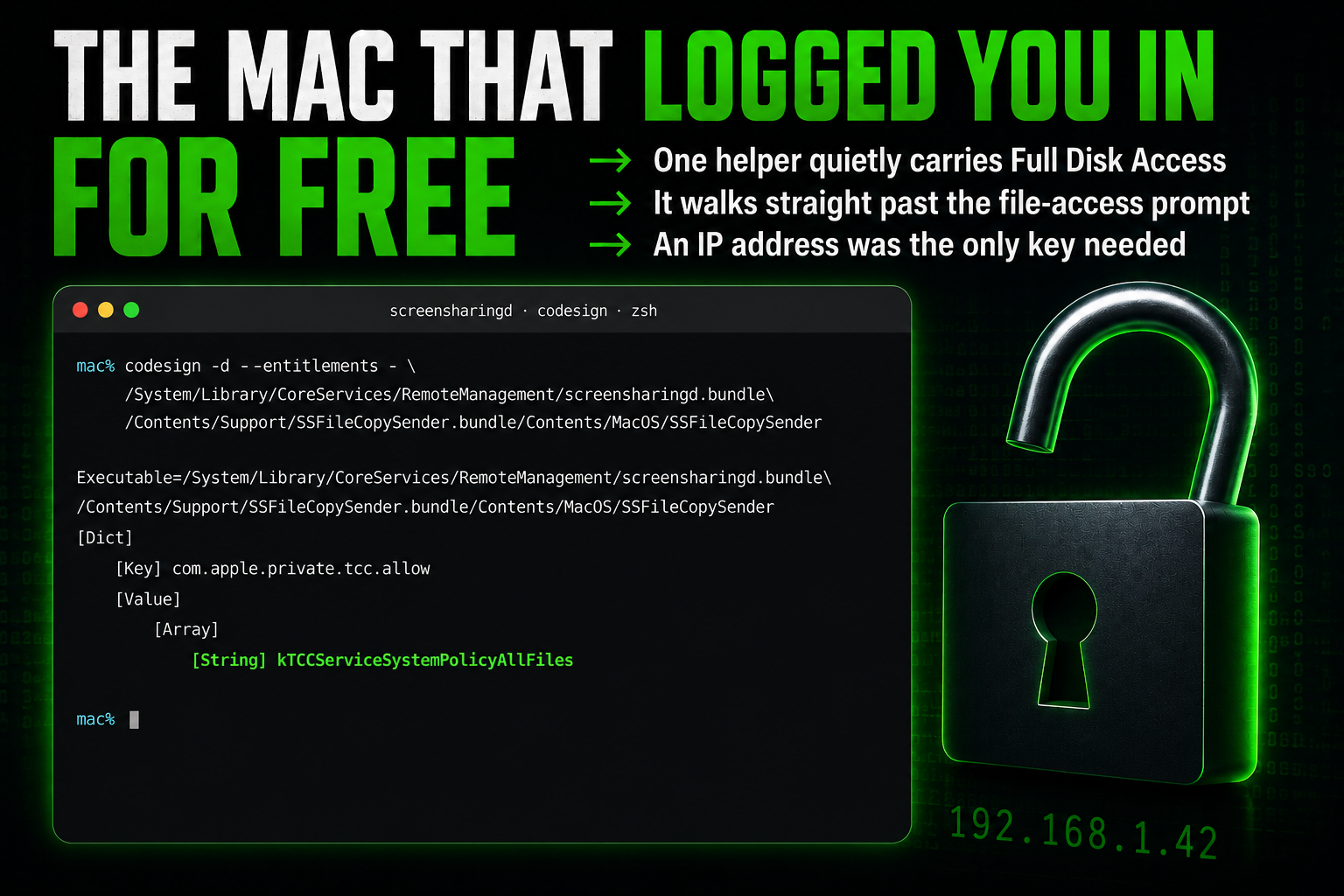
Once screensharingd believes you are logged in, it hands the file work to two separate helper programs, and the difference between them decides how far an attacker gets. Reading goes through SSFileCopySender. That helper carries a private, Apple-signed permission named kTCCServiceSystemPolicyAllFiles. That permission is Full Disk Access, the highest file permission on macOS, and it steps straight past TCC, the part of macOS that normally throws up the “so-and-so wants to access your files” prompt and waits for you to click yes. So an attacker reads files as root, the top-level account that can touch anything on the system, and TCC never gets asked.
You can see that permission sitting there for yourself. Running this on a Mac prints the entitlements the helper carries:
| |
In the output, kTCCServiceSystemPolicyAllFiles is the line that matters. That one entitlement is what lets the file helper reach any file on the disk once the broken login has let it in. With root and Full Disk Access together, an attacker can pull anything off the machine, from saved documents and configuration files to SSH keys and browser data.
Writing goes through the second helper, SSFileCopyReceiver, and that one is a different story. It runs as root as well, but it carries no such permission, and it sits inside a sandbox that blocks exactly two paths: the crontab directory and /etc/crontab. The rest of what root can write to stays open, including /etc, /Library/LaunchDaemons and /Library/Preferences.
Reading and writing files as root is already serious, and the researchers pushed it one step further, into running their own programs on the machine. One route writes a file into /Library/LaunchDaemons, a folder macOS reads at startup, so the attacker’s code runs the next time the Mac reboots. Another edits a shell startup file such as /etc/zshenv, which runs the moment someone opens Terminal. Both of these land on a stock Mac with SIP switched on. The cleanest route, a root crontab, is the one the sandbox and System Integrity Protection block together, so it only lands on machines where SIP is switched off. System Integrity Protection, or SIP, is the macOS safety layer that stops even root from changing protected parts of the system.
A flaw like this has a name: pre-auth, short for pre-authentication. It means the bug works before the system has checked who you are, so the normal defenses never run. That is the worst category to land in, because there is no account to lock, no failed-login limit to trip, and no amount of password strength that helps. The step that would have caught the attacker is the exact step that gets skipped.
The usual advice for locking down remote access does nothing here for the same reason. Removing the accounts that are allowed to connect, turning off the old VNC password, or changing that password all leave the hole exactly as open as before.
If you run Screen Sharing and want to watch for a connection that came in this way, Apple’s own logging tool can do it. This command streams Screen Sharing connection events as they happen:
| |
It needs Full Disk Access granted to Terminal first, or it shows nothing. A normal connection shows an authentication_type of RSA-SRP. A connection that came through this bug shows plain SRP, because no encryption was applied. A session_username of root is another warning sign, since that account is disabled on macOS by default and few administrators enable it or use it to log in over Screen Sharing.
Screen Sharing being off by default is what keeps most Macs out of range. The trouble is the machines that have it turned on. Hosted Mac providers, the kind that rent out a Mac mini by the hour, often hand over their machines with Screen Sharing already enabled. A scan on Censys, a service that maps internet-exposed systems, shows tens of thousands of hosts that may be vulnerable. It gets worse: Apple’s own restore images for Sequoia and Sonoma stop at 15.6.1 and 14.6.1, so a machine built from them arrives vulnerable and stays that way until someone updates it. There is no sign yet that the flaw has been used in an attack.
One number is off, and it matters more than it looks. A serious bug usually gets a danger score from zero to ten that tells companies how urgently to patch. This one got a 7.1 from CISA, the US cyber agency, and two pieces of that score are plainly wrong. It assumes the attacker already has some foothold on the machine, when Apple itself says he needs none. It assumes the damage to your files is limited, when the researchers showed they can rewrite files as root. Fix just those two and the score climbs past nine. NIST has not weighed in with its own number yet, so the low 7.1 is what patch tools read today, and some teams will treat this as less urgent than it is.
It helps to keep the two Screen Sharing bugs apart, because they are easy to confuse. The first, CVE-2026-43760, still needs a login to work, so the attacker already has a way in. The second, CVE-2026-65400, is the one in this story, and it needs no login at all. That is what makes it the dangerous one.
The way it came to light has a few turns. On July 27, Apple shipped an ordinary update, macOS 26.6, with three Screen Sharing fixes in it. One of them was for a crash bug, a way to knock the service over from the network, reported by a researcher who had nothing to do with the pre-auth hole. Patching that crash tightened the exact same length check the pre-auth bug lived in. fG!, who had been quietly holding on to the pre-auth bug for years, tested it and saw his bug stop working. He knew straight away the crash fix had done it, because that is what happens when someone fuzzes a protocol and reports whatever falls out. So one person’s crash report closed another person’s root hole by accident. It only broke the public exploit, though. Macs on that July update, 26.6, 15.7.8 and 14.8.8, stayed vulnerable underneath, which is why Apple came back ten days later with the dedicated fix.
There is one more thread here, and it explains why this moved so fast. At stage after stage, the work was done by AI. The first Screen Sharing bug, the one that needs a login, was found by a small firm called Bynario using an automated tool, built on GPT-5.5, that hunts for flaws on its own. They had sent Apple so many machine-found reports that Apple’s brand-new limit on exactly that kind of submission shut them out, and they could not file this one. So they took the story to the press, and put the bug’s value on the black market at 100,000 to 200,000 dollars. Their public writeup is what caught fG!’s eye and pushed him to post about the pre-auth bug he had found by hand, years before.
Then a third researcher, bl4sty, took fG!’s locked-down proof, the version that could only read files, and pointed AI coding agents at it. From July 31 to August 2, the agents worked out how it spoke to the Mac, found the cause, and turned it into a full exploit that could read, write, and run code. His writeup ends by admitting the bots did all of it. fG!’s reaction says it best: we are doomed, the bots are taking over.
Apple pushed the full fix on August 6 and credited it to Bynario’s automated engine, Atlas. Even Apple’s own thank-you list tells the same story, with automated tools and AI research named right next to the human researchers.
One more weak spot sits in that same code, still unfixed. bl4sty found a second hole in the password check: the server blocks one obviously bad value a client can send, but not a second value that does the same damage, which the security standard says it must also block. He did not need it, the length bug was easier, but as far as has been published, it has no fix and not even a tracking number.
What to do is short:
- → Update to macOS 26.6.1, 15.7.9, or 14.8.9 in System Settings, General, Software Update.
- → If you cannot update right now, switch Screen Sharing off in System Settings until you can.
- → If you rent a hosted Mac, check which version it runs before you trust it.
Want to learn how attackers find and break into systems like this one? You start at the basics and build up from there. I cover reconnaissance, network attacks, web exploitation, and hands-on hacking, step by step, in my ethical hacking course:
→ Join my complete ethical hacking course
Hacking is not a hobby but a way of life.
Sources:
Stay updated
Get the latest posts in your inbox every week. Ethical hacking, security news, tutorials, and everything that catches my attention. If that sounds useful, drop your email below.