 HackingPassion.com
Shodan Eye What if I could see EVERYTHING connected to the internet
Ethical Hacking Complete Course Zero to Expert
Hack like black hat hackers. Penetration testing, Kali Linux, WiFi and web hacking, and the hacker mindset behind it.
→ Take the full courseShodan Eye: What if I could see EVERYTHING connected to the internet?
That was my question for a long time… And that’s how Shodan Eye was born.
Most people think the internet is what you browse through a browser. Websites, social media, search engines. That part is called the World Wide Web, and it is just a thin layer on top of something much larger. Underneath it, directly connected to the internet, are billions of devices that have never heard of a web page. Routers, cameras, industrial control systems, medical devices, traffic lights, refrigerators, power plants. Even devices you would never suspect. They are all online. Most of them are never meant to be found. Some of them have no password at all. Shodan Eye was built to find them.
Shodan is a search engine, but not the kind you are used to. Google crawls web pages. Shodan crawls the internet itself. It scans IP addresses and reads the banners that devices send back when you knock on their ports. A banner is the small piece of text a device returns when a connection is made. It often contains the device type, software version, manufacturer, and sometimes a lot more than the owner intended to share. Shodan collects all of that and makes it searchable.
When you search Google for “webcam”, you get articles about webcams. When you search Shodan for “webcam”, you get actual webcams connected to the internet right now, many of them accessible without a login.
Where the name comes from
In my talons, I shape clay, crafting life forms as I please. If I wish, I can smash it all. Around me is a burgeoning empire of steel. From my throne room, lines of power careen into the skies of Earth. My whims will become lightning bolts that raze the mounds of humanity. Out of the chaos, they will run and whimper, praying for me to end their tedious anarchy. I am drunk with this vision. God: the title suits me well.
That is SHODAN, the rogue AI from the cyberpunk-horror game System Shock (1994). Sentient Hyper-Optimized Data Access Network. The search engine is named after her. If you know the game, you know why.
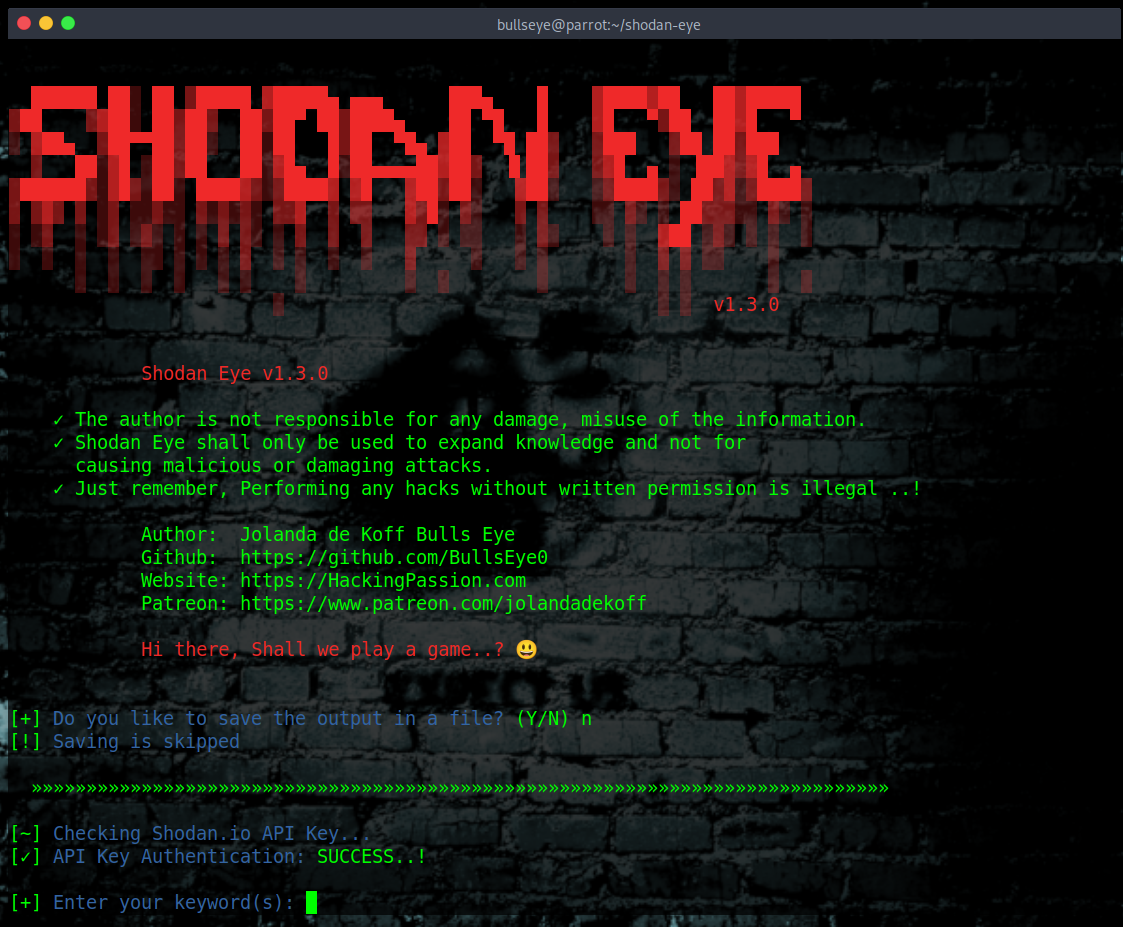
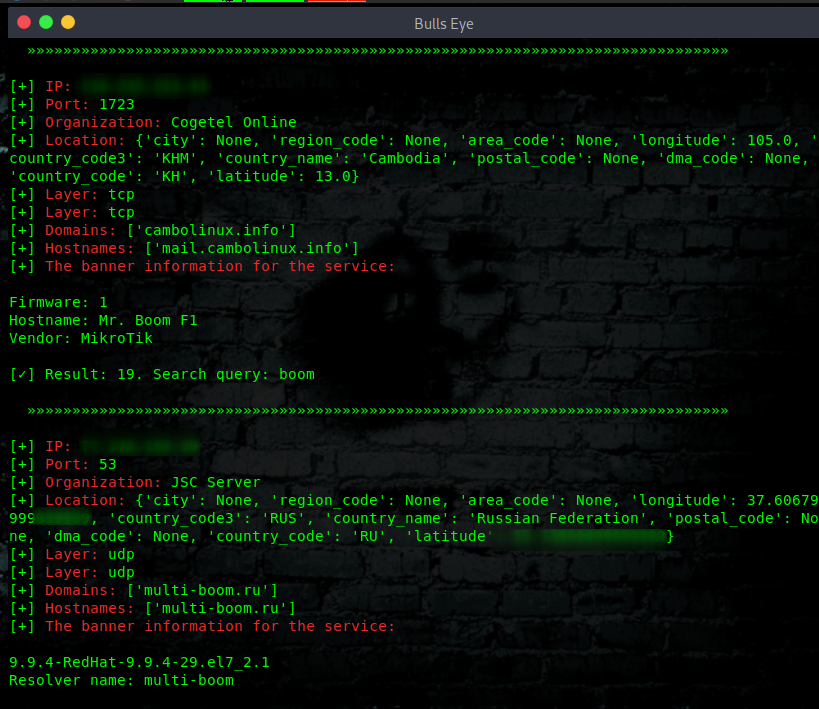
Shodan Eye is a Python tool I built to automate Shodan searches from the terminal. You enter a keyword, and it pulls back everything Shodan knows about matching devices: IP address, port, organization, location, transport layer, domains, hostnames, and the full banner data. You can save the output to a file with a name of your choice. The Shodan API key is stored locally in api.txt so you only have to enter it once.
I built it because I wanted a clean, fast way to do reconnaissance from the terminal without clicking through a web interface. The tool has been downloaded and used by security researchers and ethical hackers since 2019, and it currently has over 1,200 stars on GitHub. In 2026 the tool received a fresh update, so if you have an older version, pull the latest from GitHub.
Getting started
Shodan Eye runs on Linux (Kali, Parrot, Ubuntu, BlackArch, Arch-based, Debian-based), Windows, and Termux on Android.
You need a Shodan account. A free account is enough to get started, though paid plans give you access to more results and larger scans. Get your API key at https://account.shodan.io
Then install Shodan Eye:
| |
Create a virtual environment first. This keeps dependencies clean and avoids conflicts with other Python packages on your system:
| |
On Windows:
| |
Then install the dependencies:
| |
The only dependency is the official shodan Python library. That is what handles the API communication.
Run the tool:
| |
It will ask if you want to save the output. If you say yes, give the file a name and it saves everything to a .txt file. Then it asks for your Shodan API key. After that first run, the key is stored in api.txt. You will not need to enter it again unless you want to change it.
The saved output file is useful for a few things. You can compare scans over time to see if new ports or services have appeared on your own network. You can use it as a starting point for a penetration test report. And if you are scanning a lot of results, having everything in a file makes it easier to search through with grep instead of scrolling back through the terminal.
Want to install Shodan Eye on Android? There is a full guide for Termux here: Android Hacking with Termux
What the output looks like
For every result, Shodan Eye returns:
- → IP address
- → Port
- → Organization (the company or ISP that owns the IP)
- → Location (country, city, coordinates)
- → Transport layer (TCP or UDP)
- → Domains and hostnames
- → The full banner data
That banner data is where it gets interesting. A banner from an exposed industrial control system might show the exact software version running on it. A banner from a misconfigured database might show the database type, version, and whether authentication is enabled. Attackers use this in the reconnaissance phase before they do anything else. Security researchers and ethical hackers use it for the same reason, just from the other side.
Here is what a well-configured server looks like in Shodan Eye:
| |
The IP address is the direct address of the server on the internet. The port tells you which service is running and listening, here port 80 which is standard HTTP. The organization shows who owns that IP range. The location gives you geographic coordinates and city. The domains and hostnames show which domain names are linked to this IP.
Then there is the banner. This is the raw response the server sends back. You can see it runs nginx with no version number visible, that HTTP traffic gets redirected to HTTPS (301 Moved Permanently), and the security headers show how the server is configured. Headers like X-Content-Type-Options, X-XSS-Protection, and Content-Security-Policy are all good signs. This server is not giving an attacker much to work with.
Now compare that to what a poorly configured server looks like:
| |
This banner is a gift for an attacker. Here is what stands out.
X-Cmd-Response: root tells you the server is running as root. That means if an attacker gets in, they already have the highest possible access level. There is no further privilege escalation needed.
X-Jenkins: 2.121.3 gives you the exact version of Jenkins running on this server. Jenkins 2.121.3 is from 2018 and has multiple known critical vulnerabilities. An attacker can look up the exact CVE, find a public exploit, and use it directly.
X-Generator: Drupal 8 tells you which CMS is running and that it has not been updated. Drupal 8 reached end of life in November 2021.
The WordPress session cookie with admin in the name is visible in plain text in the banner. That cookie path /wp-admin confirms there is a WordPress admin panel on this server.
X-Pingback with xmlrpc.php means XML-RPC is enabled. That endpoint is commonly abused for brute force attacks and DDoS amplification.
One banner. Seconds of work. IP, software versions, open admin panels, session cookies. That is what reconnaissance looks like.
Shodan_Dorks_The_Internet_of_Sh*t
A dork is a search query specific enough to return only a certain type of device or misconfiguration. The term comes from Google Dorking, where people use advanced search operators to find things Google has indexed that were never meant to be public. Shodan dorks work the same way, just aimed at the internet of devices instead of websites.
The tool comes with a file called Shodan_Dorks_The_Internet_of_Sh*t.txt. That file is a collection of search queries that return some genuinely alarming results. The full list is on GitHub: Shodan_Dorks_The_Internet_of_Sh*t.txt
A few examples of what is out there:
| |
More than 21,000 surveillance cameras, username admin, no password.
| |
Medical X-ray machines on the internet.
| |
Devices already logged in as root via Telnet, no further action required.
| |
Remote desktop connections with authentication turned off.
| |
Android devices with the debug bridge open, full access.
The list goes on. MongoDB databases, Redis instances, Docker APIs, Kubernetes clusters, industrial SCADA systems on port 502, VNC servers without passwords, Elasticsearch instances exposing company data. These are not hypothetical. These are devices you can find right now.
Reconnaissance is the first phase of a penetration test. You need to know what is exposed before you can do anything about it. Sysadmins and network engineers use these searches against their own IP ranges to see what is visible from the outside. That is a fast and practical security check.
Found something exposed that does not belong to you? Report it through the organization’s responsible disclosure channel or a bug bounty program.
Practical uses
- → Network security audits: find out which company assets are visible to anyone on the internet
- → Vulnerability research: identify software versions that match known CVEs
- → IoT security testing: map exposed devices on a network you are authorized to test
- → Monitoring: keep an eye on your own IP ranges for unexpected exposure
- → Learning: understand what real-world reconnaissance looks like before you practice it in a lab
Video
In this video I walk through Shodan and Shodan Eye hands-on. You can see exactly what the tool returns and how to use it in practice. The Shodan Eye section starts at 6:35.
Troubleshooting
Error: Access denied (403 Forbidden)
This is the most reported issue. You enter your API key, the key looks correct, curl to api.shodan.io works fine, but Shodan Eye returns a 403. The problem is not with the tool. It is with your Shodan account or API key.
A 403 from Shodan means the server understood your request but is refusing to authorize it. This can happen when:
- → Your free account API key has restricted access to certain API endpoints that Shodan Eye uses
- → Your account has been flagged or temporarily blocked by Shodan’s backend
- → The API key has been regenerated on the Shodan website and the old one stored in
api.txtis no longer valid
The fix that works most reliably: create a new Shodan account with a different email address and use that API key. This is a known Shodan-side issue. Delete the old api.txt file first so Shodan Eye asks for a new key on the next run:
| |
Then run the tool again and enter your new key when prompted.
If you want to try your existing account first, log into shodan.io, go to your account settings, and regenerate your API key. Then delete api.txt and enter the new key.
I built Shodan Eye because I wanted to see what was really out there. That curiosity never stops. Every tool I make comes from the same place: wanting to understand how things work, and sharing that with anyone who wants to learn. Now it is your turn. Go and explore.
The full dorks list is available in the GitHub repository:
Download Shodan Eye:
Want to go deeper? My complete ethical hacking course covers reconnaissance, scanning, exploitation, web application hacking, WiFi attacks, privilege escalation, and more. Hands-on, no books, built around real tools including Shodan Eye. From zero to working like a professional penetration tester:
Hacking is not a hobby but a way of life. 🎯
Stay updated
Get the latest posts in your inbox every week. Ethical hacking, security news, tutorials, and everything that catches my attention. If that sounds useful, drop your email below.